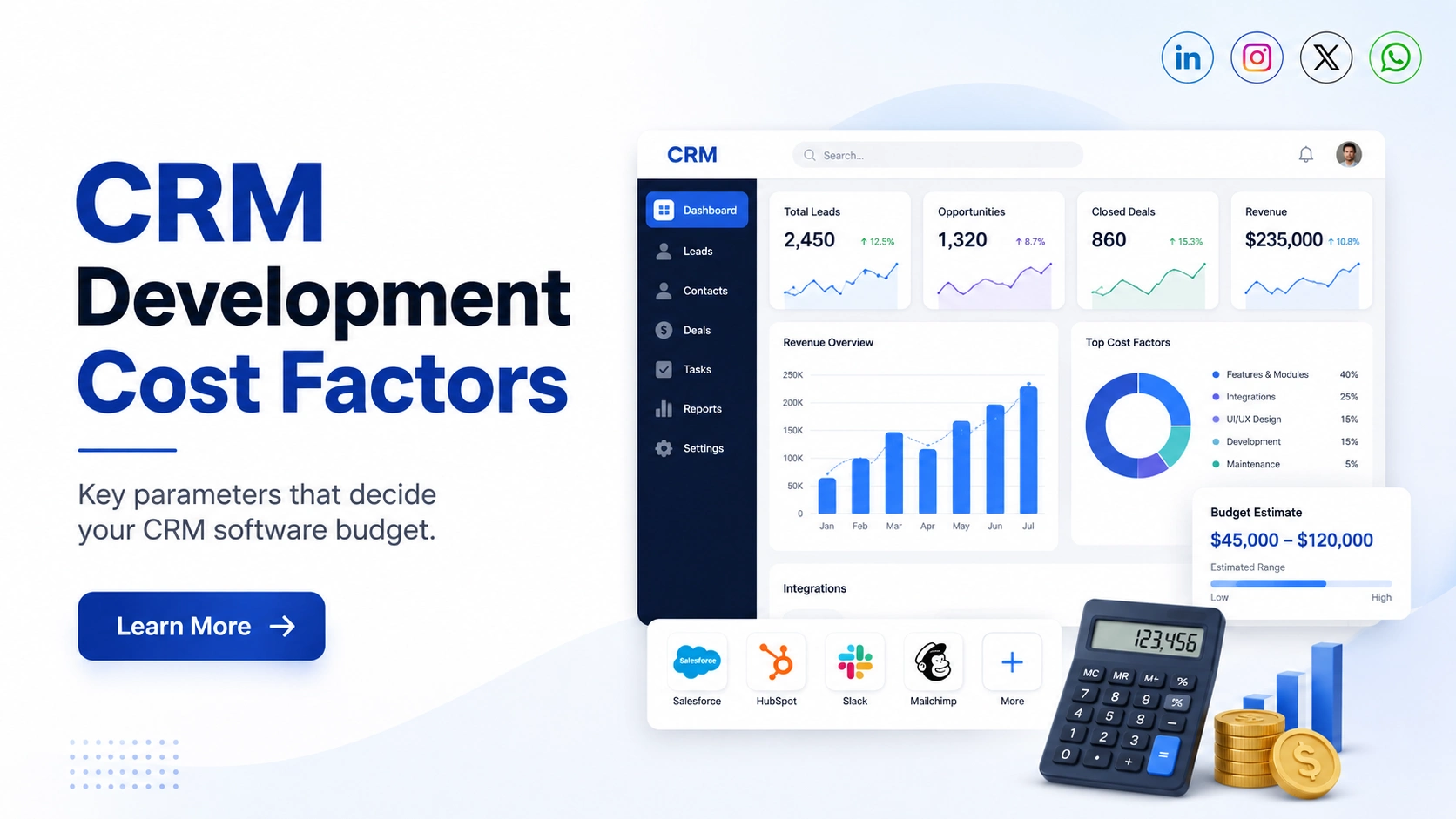
CRM software development cost is not decided by one fixed price or by the number of screens in the system. It depends mainly on how your CRM needs to work inside your business.
A simple CRM for managing leads, contacts, follow-ups, and sales activity may require relatively limited development. A CRM that connects multiple departments, automates approvals, integrates third-party platforms, handles complex permissions, and supports mobile teams requires much more planning, development, testing, and maintenance.
The easiest way to estimate the cost of CRM development is to understand which requirements add complexity to the project.
Quick View: What Affects CRM Development Cost?
| Factor | Typical Cost Impact |
| Basic CRM modules | Low |
| Custom business workflows | Medium–High |
| Multiple user roles | Medium |
| Third-party integrations | Medium–High |
| Complex data migration | Medium–High |
| Mobile CRM application | High |
| Advanced reporting | Medium–High |
| AI-powered features | High |
| Enterprise security requirements | High |
| Multi-location scalability | High |
The important point is simple: CRM development cost increases with business logic and complexity, not just with the number of features.
- CRM Scope and Complexity Set the Base Cost
The first factor affecting CRM software development cost is the overall scope of the system.
A basic CRM may only need:
- Lead management
- Contact management
- Follow-up reminders
- Sales pipeline
- Basic reports
- Notes and tasks
Development becomes more complex when the CRM has to support several teams, different business processes, custom dashboards, automation, integrations, and advanced permissions.
A large enterprise CRM, for example, may need separate workflows for sales, finance, customer support, operations, and management.
| CRM Type | Complexity | Relative Cost |
| Basic CRM | Low | ₹3L – ₹8L |
| Custom Business CRM | Medium | ₹8L – ₹20L |
| Enterprise CRM | High | ₹20L – ₹1Cr+ |
The number of modules matters, but the rules behind those modules usually have a bigger impact on development effort.
2. Features and Modules Can Change the Cost Significantly
CRM features are one of the biggest factors affecting CRM development cost.
Basic features are generally easier to build because the workflow is straightforward. Advanced features require more logic, testing, permissions, integrations, and data processing.
For example:
| CRM Feature | Complexity | Cost Impact |
| Contact management | Low | Low |
| Lead management | Low | Low |
| Sales pipeline | Low–Medium | Low–Medium |
| Custom dashboards | Medium | Medium |
| Advanced reporting | Medium–High | Medium–High |
| Workflow automation | Medium–High | Medium–High |
| AI lead scoring | High | High |
| Predictive analytics | High | High |
A common mistake is estimating CRM development cost simply by counting features.
Two businesses may both require a lead management module, but the actual requirements can be completely different.
One business may only need to manually assign leads. Another may require automatic lead distribution based on location, product type, team availability, lead value, and salesperson performance.
The feature name is the same. The development effort is not.

3. Custom Workflows and Automation Increase Development Effort
Custom workflows are another major CRM development cost factor.
Consider a simple sales process:
Lead → Follow-up → Proposal → Closed
Now compare it with:
Lead → Qualification → Territory Assignment → Salesperson Assignment → Follow-up → Manager Approval → Quotation → Contract → Payment → Customer Onboarding
The second workflow requires significantly more business logic.
Cost can increase when your CRM needs:
- Automatic lead assignment
- Approval workflows
- Escalation rules
- Automated notifications
- Follow-up reminders
- Conditional actions
- Sales stage automation
- Department-based processes
- Automated task creation
The more decisions the CRM needs to make automatically, the more development and testing are required.
Before requesting an estimate, document your actual business workflow. It can make the CRM development cost estimate much more accurate.
4. User Roles Matter More Than the Number of Users
Many businesses assume that having more users automatically means much higher CRM development costs.
That is not always the case.
Supporting 100 users with the same access level may be easier than supporting 20 users with highly complex permissions.
Your CRM may include roles such as:
- Administrator
- Sales Manager
- Sales Executive
- Regional Manager
- Finance Team
- Customer Support
- Account Manager
- Operations Team
- External Partner
Each role may require different access to leads, reports, customers, financial information, and system settings.
For example, a sales executive may only see assigned leads, while a regional manager may see every salesperson and customer within a specific region.
These permission rules require additional development, security configuration, and testing.
So when estimating CRM development cost, consider permission complexity rather than user count alone.
5. Third-Party Integrations Can Become a Major Cost Factor
Most modern CRM systems do not operate independently.
Businesses often need their CRM connected with other applications.
Common integrations include:
- Payment gateways
- Accounting software
- ERP systems
- Website enquiry forms
- Facebook and Google leads
- Telephony systems
- Marketing platforms
- Customer support tools
- Internal software
- Third-party APIs
Integration cost depends on more than simply connecting two platforms.
Developers need to understand:
- How data will move
- How frequently systems should sync
- What happens when an API fails
- Which application controls the data
- How authentication works
- Whether information moves one way or both ways
A well-documented standard API may be relatively straightforward.
Connecting an older internal system with limited documentation can require significant custom development.
Therefore, integration complexity is more important than the total number of integrations.
6. Data Migration Can Be Simple or Become a Separate Project
If your business already stores customer information in Excel sheets, another CRM, ERP software, or multiple databases, that information may need to be migrated.
CRM data migration can include:
- Customer records
- Leads
- Sales history
- Follow-up activities
- Notes
- Documents
- Communication history
- Products
- Transactions
Clean and properly structured data is generally easier to migrate.
The situation becomes more difficult when the existing data contains duplicate customers, missing fields, inconsistent formats, outdated information, or records spread across multiple systems.
Developers may need to perform:
Data mapping → Cleaning → Transformation → Import → Validation
This is why data migration should be discussed before the development estimate is finalized.
Moving 100,000 clean records can sometimes be easier than moving 10,000 poorly structured records.
7. Web CRM, Mobile CRM, or Both?
Platform requirements also affect CRM software development cost.
A responsive web CRM may be enough for employees who mainly work from computers.
However, field sales teams may need dedicated Android or iOS applications.
| Requirement | Cost Impact |
| Responsive web CRM | Base |
| Android application | Additional |
| iOS application | Additional |
| Android + iOS | Higher |
| Offline functionality | Higher |
| Real-time synchronization | Higher |
Mobile requirements become more complex when the application needs GPS tracking, offline access, camera functionality, background syncing, push notifications, or real-time updates.
Before developing a mobile CRM application, ask one practical question:
Do employees genuinely need a mobile app, or would a mobile-friendly web CRM solve the requirement?
That decision alone can reduce unnecessary development costs.

8. Security, Compliance, and Scalability Often Stay Hidden in the Estimate
Some of the most important CRM development requirements are features that users never directly see.
These include:
- Data encryption
- Role-based security
- Audit logs
- Two-factor authentication
- Single sign-on
- Backup systems
- Disaster recovery
- Security monitoring
- Compliance requirements
- High-volume database architecture
- Multi-location access
A CRM built for a small internal sales team has very different technical requirements from a CRM handling sensitive data across several departments and locations.
Scalability also matters.
If the system needs to grow from 30 users to 3,000 users, the architecture should be planned accordingly.
Building for future scale may increase the initial CRM development cost, but rebuilding an unsuitable system later can be much more expensive.
9. Development Team and Technical Approach Affect the Final Budget
CRM development pricing also depends on the team required to deliver the project.
Depending on complexity, the project may involve:
- Business analyst
- UI/UX designer
- Backend developer
- Frontend developer
- Mobile developer
- QA engineer
- DevOps engineer
- Project manager
A small CRM may not require every role full-time.
A complex enterprise system usually needs more specialized expertise.
It is also important not to evaluate a development partner only by hourly rates.
A cheaper team that builds the wrong architecture, misunderstands workflows, or misses important requirements can create expensive rework later.
The better comparison is:
Total project value, technical quality, understanding of business processes, and long-term maintainability.
10. Post-Launch Costs Should Be Included in Your CRM Budget
Initial development is only one part of the total CRM cost.
After launch, businesses may need to budget for:
- Cloud hosting
- Database services
- API charges
- Email or WhatsApp usage
- Maintenance
- Technical support
- Security updates
- Bug fixing
- Performance improvements
- New features
- User training
CRM systems usually evolve as business processes change.
A workflow that works today may need modification when a new department, product, location, or sales process is introduced.
That is why businesses should calculate the total cost of CRM ownership, not only the initial development cost.

11. How to Estimate CRM Development Cost More Accurately
You do not need a complete technical specification before speaking with a software development company.
However, you should clearly define the business requirements.
Use this framework:
Step 1: List Required Modules
Identify what the CRM must manage.
Examples include leads, customers, sales, tasks, support, invoices, or reports.
Step 2: Document Your Workflows
Write down what happens from the moment a lead enters the system until the process is completed.
Step 3: Define User Roles
Identify who will use the CRM and what information each role should access.
Step 4: List Integrations
Document every external system the CRM needs to connect with.
Step 5: Review Existing Data
Identify what information needs to be imported and where it currently exists.
Step 6: Decide Platform Requirements
Choose whether you need a web CRM, mobile application, or both.
Step 7: Define Security Requirements
Identify any specific security, compliance, audit, or access requirements.
Step 8: Separate Features Into Phases
Divide requirements into:
Must Have | Should Have | Future Phase
This prevents unnecessary features from increasing the initial development budget.
A reliable CRM development cost estimate should always be based on documented requirements rather than a simple question such as, “How much does a CRM cost?”
Quick CRM Development Cost Checklist
Before requesting an estimate, make sure you can answer these questions:
- Which departments will use the CRM?
- Which modules are required?
- Which processes should be automated?
- How many user roles are needed?
- Which external systems need integration?
- Will existing data need to be migrated?
- Is a mobile application required?
- Are there specific security requirements?
- How many users may the system support in the future?
- Which features can be moved to Phase 2?
The clearer these answers are, the more accurate your CRM development cost estimate will be.
Frequently Asked Questions
Q1. What is the biggest factor affecting CRM development cost?
Feature and workflow complexity usually has the greatest impact. A CRM with simple modules and standard workflows requires less development than a system with advanced automation, integrations, permissions, analytics, and custom business rules.
Q2. Does the number of CRM users increase development cost?
Not necessarily. User count can affect infrastructure and scalability, but permission complexity usually has a greater impact on development. Multiple roles with different data access rules require additional logic and testing.
Q3. How can businesses reduce custom CRM development costs?
Start with the core requirements. Build essential features first and move lower-priority functions into later phases. Avoid unnecessary customization, define workflows clearly, and determine which integrations are genuinely required.
Q4. How can I get an accurate CRM development cost estimate?
Prepare your modules, workflows, roles, integrations, data migration requirements, platform requirements, and security expectations before requesting an estimate. The more clearly the project scope is documented, the more realistic the estimate will be.
Final Takeaway
CRM software development cost should not be calculated by comparing feature lists alone.
The real cost comes from the complexity behind those features how your workflows operate, how users interact with data, which systems need to communicate, how much automation is required, and how the CRM needs to scale.
Define your business processes first. Prioritize essential features. Separate immediate requirements from future improvements.
That approach will not only help you get a more accurate CRM development cost estimate but can also prevent unnecessary development and create a CRM that is easier to use, maintain, and scale.