
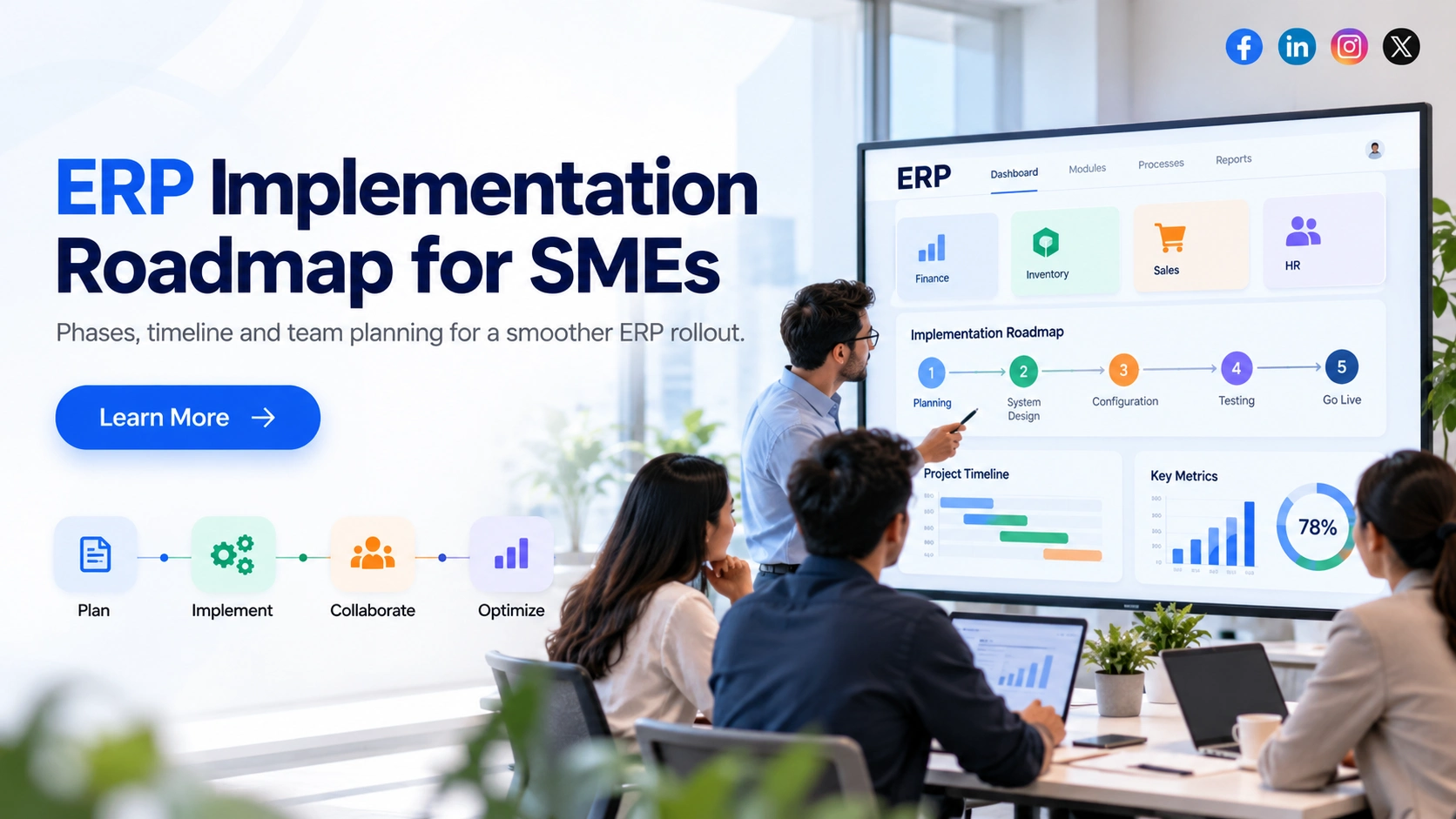
Implementing ERP software is a major operational decision for any small or medium-sized business. The real challenge is not simply choosing the right software. It is moving existing processes, financial records, inventory, employees, and daily operations into a new system without disrupting the business.
An ERP implementation can run into problems when project requirements keep changing, departments are not prepared, historical data is inaccurate, or testing starts too late. These issues can increase costs and delay the planned launch.
A well-structured ERP implementation roadmap helps businesses avoid these problems by defining the implementation phases, project timeline, team responsibilities, and approval requirements.
This guide explains how SMEs can plan an ERP implementation, organize their teams, prepare business data, manage risks, and launch the new system successfully. It also includes a practical 16-week implementation example to help you understand how the different activities fit together.
What Should SMEs Prepare Before Starting ERP Implementation?
Before beginning an ERP implementation, businesses should identify exactly what needs to change in their existing operations.
For example, a manufacturing company may be using Tally for accounting, spreadsheets for inventory, and separate tools for purchase orders and sales tracking. Implementing ERP should connect these activities through a consistent process, rather than simply transferring the same disconnected workflows into new software.
Start by documenting how your business currently handles purchasing, inventory, sales, finance, approvals, and reporting. Identify where employees enter the same information multiple times, where records frequently mismatch, and which activities depend on manual follow-ups.
Next, separate essential requirements from features that can wait.
A business may need accounting, procurement, inventory, and sales management during the first rollout. Advanced analytics, custom dashboards, or additional automation could be introduced later.
Before implementation begins, management should approve:
- The business processes and ERP modules included in the first release.
- A realistic budget, project timeline, and success criteria.
- The internal project manager and department representatives.
- Existing software integrations and data migration requirements.
- The employees who will participate in testing and training.
These decisions form the baseline of the ERP implementation plan.
Practical recommendation: Do not begin extensive customization before the core business requirements are approved. Every additional requirement should be evaluated for business value, cost, impact on timelines, and maintenance needs.

The 7 ERP Implementation Phases: Activities, Deliverables and Approvals
An effective ERP implementation process follows clearly defined phases. Although some activities run in parallel, each stage should produce measurable deliverables and obtain the appropriate business approval.
Phase 1: Business Discovery and Requirement Assessment
The first phase focuses on understanding how the business operates and what the ERP system must support.
The implementation team works with department heads to study existing workflows, review current systems, and identify operational problems.
For example, a distributor may experience stock mismatches because sales teams confirm orders without checking real-time inventory. This requirement should be documented as a business workflow, not simply described as a need for inventory software.
The discovery process should capture approval structures, reporting needs, user permissions, business rules, integrations, and exceptions to normal processes.
Key deliverables: Business requirement document, current and proposed process maps, prioritized module list, and approved project scope.
Approval required: Business owners confirm that critical operational requirements have been captured before solution design begins.
Phase 2: Solution Design and Implementation Planning
Once requirements are approved, the next step is deciding how the ERP system will support each business process.
This includes selecting modules, configuring approval workflows, identifying integrations, and defining areas where customization is necessary.
For example, a company may require purchase orders above ₹2 lakh to receive approval from its finance head. This rule should be included in the solution design along with approval limits, escalation rules, and user permissions.
The implementation team should also prepare the migration strategy, testing approach, resource allocation, project schedule, and technical architecture.
A particularly important decision is distinguishing between standard ERP features and custom development. If an existing feature can support the business requirement, customization should be justified rather than treated as the default.
Key deliverables: Approved solution blueprint, implementation schedule, integration design, data migration strategy, and responsibility matrix.
Approval required: Business and technical stakeholders sign off on the design and scope assumptions.
Phase 3: ERP Configuration, Customization and Integration
During this phase, the implementation partner configures the ERP software according to the approved business requirements.
This may include setting up accounting structures, taxes, departments, warehouses, user roles, approval rules, inventory settings, and reporting formats.
Where necessary, the technical team also develops integrations with existing systems such as payment platforms, ecommerce websites, attendance software, or external logistics applications.
Consider an ecommerce distributor. When a customer places an order, the ERP may need to update stock availability, generate an invoice, and send order information to a shipping platform.
Each connection must be tested for data accuracy, failures, and duplicate transactions.
Key deliverables: Configured ERP modules, completed approved customizations, working integrations, and technical test results.
Approval required: The implementation team verifies that the configured workflows meet the agreed specifications before formal business testing.
Phase 4: Data Preparation and Migration
Data migration is often more complicated than businesses expect.
Existing information may be spread across accounting software, spreadsheets, CRM applications, and department-level systems. Some records may be incomplete, duplicated, outdated, or inconsistent.
Before importing data into ERP, the business must decide which records are required, clean incorrect information, and map legacy fields to the new system.
For example, if one supplier appears under three different names, those records should be reviewed before migration. Otherwise, the ERP system may generate inaccurate reports or duplicate transactions.
Multiple trial migrations are useful for identifying missing information and checking whether financial balances, inventory quantities, and open orders match the approved source records.
Key deliverables: Cleaned master data, field-mapping documents, migration reports, reconciliation results, and approved opening balances.
Approval required: Data owners verify and sign off on migrated records.
Phase 5: System Testing and User Acceptance Testing
An ERP system should not be considered ready simply because its screens and modules are functioning.
It must support complete business transactions.
For example, the procurement team should test the process from purchase request and approval through goods receipt, supplier invoice, and payment.
Similarly, the sales team should test order creation, stock allocation, dispatch, invoicing, and payment recording.
User Acceptance Testing (UAT) should involve employees who understand these operations. They must check normal transactions, approval exceptions, incorrect entries, cancellations, access permissions, and relevant integrations.
Problems should be recorded, prioritized, corrected, and retested.
Key deliverables: Executed test scenarios, defect reports, verified fixes, and signed UAT results.
Approval required: Relevant department owners approve critical workflows, with no unresolved critical issues that would prevent safe operation.
Phase 6: Employee Training, Cutover and Go-Live
Once the system passes testing, the business prepares to switch from its existing tools to the new ERP environment.
Employees should receive role-based training. A warehouse employee needs to understand stock receipts and transfers, while a finance executive needs to understand journal entries, reconciliations, and reporting.
The implementation team should prepare a detailed cutover plan covering final data migration, system access, transaction verification, business communication, and support availability.
A contingency plan is equally important. If a critical issue occurs during cutover, the business should know whether it can safely return to the old system or use another approved continuity process.
Key deliverables: Training records, final migration results, cutover plan, support arrangements, and go-live readiness approval.
Approval required: The authorized business sponsor makes the final go/no-go decision based on agreed readiness criteria.
Phase 7: Post-Go-Live Support and Stabilization
ERP implementation does not end when employees start using the software.
The initial production period, often called hypercare, is used to identify problems that appear during daily operations.
The team should monitor failed transactions, incorrect reports, integration issues, inventory mismatches, user access problems, and unresolved support tickets.
For example, if invoices are generated correctly but customer payments are not updating the accounting ledger, the issue needs immediate investigation.
The implementation partner and internal project team should review problems regularly, assign owners, and track resolution times.
Key deliverables: Production issue log, reconciliation reports, support handover documentation, and stabilization approval.
The project can move into normal maintenance when critical processes are operating reliably and agreed support and acceptance conditions have been met.
Also Read this: ERP Software Development Cost in 2026: Pricing and Key Cost Factors
ERP Implementation Timeline for SMEs: A Practical 16-Week Example
How long does ERP implementation take?
There is no fixed timeline that applies to every SME. Duration depends on the number of modules, business locations, users, integrations, data quality, and level of customization.
A relatively straightforward deployment may take a few months, while a complex project involving multiple entities, extensive custom workflows, or difficult integrations can require substantially more time.
To understand how an ERP implementation timeline can be structured, consider a hypothetical manufacturing and distribution business with approximately 30 ERP users.
The company plans to implement finance, purchasing, inventory, and sales modules. It has one primary operating entity, limited external integrations, relatively clean existing data, and an internal team available for project decisions.

Example 16-Week ERP Implementation Schedule
| Implementation activity | Estimated period | Expected outcome |
| Discovery and requirements | Weeks 1–2 | Approved business requirements |
| Solution design | Weeks 3–4 | Signed implementation blueprint |
| ERP configuration and integrations | Weeks 5–9 | Core workflows configured |
| Data preparation and migration trials | Weeks 3–11 | Validated migration data |
| System testing and UAT | Weeks 10–12 | Approved business transactions |
| Training and cutover preparation | Weeks 12–13 | Go-live readiness |
| Production go-live | Week 14 | ERP operational |
| Hypercare and stabilization | Weeks 15–16 | Initial issues resolved and handover assessed |
This is an illustrative project schedule, not a guaranteed or standard ERP implementation duration.
Notice that data preparation begins before configuration is complete. This is intentional. Waiting until the final weeks to clean and validate records creates unnecessary pressure before launch.
The schedule also depends on timely approvals. If department heads take two weeks to approve a workflow, configuration and testing may be delayed even when the technical work is progressing normally.
The most reliable approach is to manage timelines around dependencies and milestones. A go-live date should be treated as conditional on successful testing, accurate migration, and business readiness.
ERP Implementation Team: Roles and Responsibilities
ERP implementation requires cooperation between business leaders, department heads, internal IT staff, and the implementation partner.
One common mistake is assigning the entire project to the IT department. While IT can manage technical requirements, it cannot independently decide how procurement, accounting, inventory, or sales should operate.
A clear ERP implementation team structure helps each department take ownership of its decisions.
| Team role | Main responsibility |
| Executive sponsor | Approves budget, resolves major issues, and authorizes go-live |
| Project manager | Manages milestones, resources, dependencies, and communication |
| Finance lead | Approves accounting rules, financial data, and finance testing |
| Operations lead | Validates inventory, procurement, and operational workflows |
| IT lead | Coordinates technical access, security, infrastructure, and integrations |
| ERP implementation partner | Handles solution design, configuration, approved development, and technical execution |
| Department super-users | Support process testing, employee training, and adoption |
For smaller businesses, one employee may cover several responsibilities. However, decision-making authority should still be clearly documented.
Use a Responsibility Matrix to Avoid Confusion
A simple RACI matrix can clarify who is Responsible for doing the work, Accountable for the outcome, Consulted before decisions, and Informed of progress.
For example, during financial data migration, the implementation partner may perform the technical import while the finance lead remains accountable for confirming that opening balances are correct.
The project manager coordinates activities but should not approve financial accuracy on behalf of the finance department.
This distinction prevents implementation tasks from being marked complete without proper business validation.
How Should SMEs Handle ERP Data Migration?
A successful ERP migration is not measured by how many records were imported. It is measured by whether the imported information is accurate, usable, and suitable for daily operations.
The first step is classifying the existing data.
Master data includes customers, suppliers, products, warehouses, and employee records. Transaction data includes open purchase orders, outstanding invoices, current stock, and financial balances.
Historical transactions require a separate decision. Some businesses need detailed historical records inside ERP, while others can retain older information in a secure, accessible archive, subject to operational and legal requirements.
Prepare Data Before Importing It
Suppose a company is moving from Tally and Excel to a new ERP system.
Its finance team needs to reconcile outstanding customer and supplier balances. Its warehouse team must verify inventory quantities, stock locations, and product codes. The implementation partner must map these records to the ERP database.
If these tasks are ignored, the system may be technically ready but financially unreliable.
A practical ERP data migration checklist should confirm:
- Duplicate and outdated records have been reviewed.
- Product codes, customer accounts, and supplier details are consistent.
- Required tax and accounting configurations have been checked.
- Opening balances and inventory quantities are reconciled.
- Trial migration errors have been investigated.
- Data owners have approved the final migration results.
For Indian SMEs, GST-related settings, tax codes, accounting balances, and statutory reporting requirements should be validated against the business’s actual compliance needs.
Trial migrations should also confirm how long final data transfer will take. This helps the team determine whether migration can fit within the planned cutover window.
Important: Do not migrate inaccurate legacy data simply to save time. Correcting it after go-live may disrupt financial reporting and daily operations.

ERP Go-Live Checklist: How to Know Whether the Business Is Ready
Going live is a business decision supported by technical evidence.
A project may be close to its scheduled launch date and still be unprepared. If critical transactions fail, financial balances do not match, or employees cannot perform essential activities, delaying the launch may be safer than proceeding.
Before approving go-live, the project team should verify six areas.
- Business processes: Critical workflows such as purchase-to-pay and order-to-cash have passed end-to-end testing.
- Data accuracy: Opening balances, inventory quantities, customer records, and supplier information have been reconciled and approved.
- System readiness: Integrations, security permissions, production access, performance, backups, and monitoring have been verified.
- Employee readiness: Users have completed relevant training and know how to report operational problems.
- Cutover preparation: The final migration sequence, downtime window, responsible employees, communication plan, and contingency procedures are documented and rehearsed.
- Support availability: Technical and business support contacts are available during launch and the initial stabilization period.
The project team should classify outstanding issues by severity. A minor formatting problem may be acceptable with an approved workaround, while a failure that prevents invoice posting or stock reconciliation should normally block go-live.
The executive sponsor should receive a clear readiness report and approve the final decision.
A well-planned go-live prioritizes business continuity over meeting an arbitrary calendar date.
Phased vs Big Bang ERP Implementation: Which Is Better for SMEs?
SMEs generally consider two common approaches when planning an ERP rollout.
A phased implementation introduces the ERP system gradually, perhaps by module, department, business unit, or location.
A big bang implementation moves the agreed business scope to the new system at one planned cutover.
| Factor | Phased implementation | Big bang implementation |
| Deployment | Gradual rollout | Single coordinated launch |
| Business disruption | Spread across stages | Concentrated around cutover |
| Legacy systems | May remain active temporarily | Often retired together |
| Integration complexity | Temporary connections may be necessary | More dependencies must be ready together |
| Suitable situations | Complex processes or multiple locations | Well-defined and thoroughly tested scope |
For example, a distributor operating across several warehouses may prefer to introduce ERP at one location before extending it to the others.
However, launching inventory management without an integrated accounting process may create reconciliation problems if both systems cannot exchange accurate transactions.
The right choice depends on operational dependencies, implementation readiness, business risk, and the ability to manage temporary processes.
A phased rollout is not automatically safer. It is useful when the business can divide the implementation without creating greater complexity between old and new systems.
Common ERP Implementation Risks and How to Prevent Them
ERP projects can face delays even when the selected software is capable of supporting the business.
The most important risks often involve unclear requirements, data problems, weak decision-making, and insufficient testing.
| Implementation risk | Warning sign | Preventive action |
| Scope creep | New requirements are repeatedly added | Establish formal change approval |
| Poor data quality | Migration errors and balance mismatches | Clean records early and conduct trial migrations |
| Delayed decisions | Workflow approvals remain pending | Assign decision owners and deadlines |
| Low employee adoption | Users avoid training or testing | Involve department super-users early |
| Integration failures | Transactions fail between systems | Test complete workflows and exception cases |
| Budget overruns | Unplanned customizations increase | Track effort, changes, and remaining contingency |
Consider a company that requests additional approval workflows after ERP development is nearly complete.
Although the request may appear small, it can affect user permissions, transaction processing, reports, and testing. The change should therefore be evaluated for its impact before approval.
A useful practice is to maintain a project risk register that records each issue, its potential business impact, responsible owner, corrective action, and resolution deadline.
The project manager should review high-priority risks regularly with the executive sponsor.
How SMEs Can Control ERP Implementation Costs
The total cost of ERP implementation goes beyond software licensing or development charges.
Businesses should account for solution configuration, approved custom development, integrations, data migration, testing, employee training, infrastructure where applicable, and ongoing support.
Internal staff time is another important cost. Finance and operations employees may need to spend several hours each week reviewing requirements, validating records, and testing workflows.
Separate Critical Requirements From Optional Features
Suppose a company needs accurate inventory valuation and purchasing approvals but also wants a highly customized management dashboard.
Inventory valuation and purchasing controls may be essential for the initial launch, while the dashboard could be introduced later.
This prioritization helps control scope and protects the implementation schedule.
Before signing an implementation agreement, SMEs should clarify what is included in the project estimate, what counts as additional work, how changes are approved, and what post-launch support covers.
A realistic budget should also include contingency for approved changes and unexpected technical issues.
The objective is not simply to select the lowest-cost implementation. It is to understand the full scope of work and avoid expenses caused by unclear requirements or incomplete planning.
How to Measure ERP Implementation Success
An ERP project should deliver measurable improvements in business operations, not simply replace existing software.
Before implementation begins, the company should record how its current processes perform. These baseline measurements can then be compared with results after launch.
For example, a manufacturing SME could track the time required to process a purchase order, close monthly accounts, reconcile inventory, and prepare management reports.
| Business process | Suggested performance indicator |
| Procurement | Average purchase order processing time |
| Inventory | Difference between recorded and physical stock |
| Finance | Time needed for month-end closing |
| Sales | Order processing and invoice turnaround time |
| Reporting | Time required to prepare management reports |
| System adoption | Percentage of required transactions completed in ERP |
For each metric, define the data source, calculation method, responsible owner, and target improvement before implementation.
Performance should be reviewed at agreed intervals, such as 30, 60, and 90 days after launch.
A reduction in manual data entry or faster access to inventory information may indicate that the system is improving daily operations. However, changes should be assessed against the original baseline, with any seasonal or operational factors considered.
These measurements also help management decide whether additional modules, automation, or process improvements are worth introducing.
Frequently Asked Questions About ERP Implementation
Q1. How long does ERP implementation take for a small business?
The duration depends on the number of ERP modules, integrations, data volume, customization, and employee availability. A relatively straightforward SME implementation may be completed within a few months, but complex projects can take longer. The most reliable estimate comes from an approved scope and implementation plan.
Q2. Can an SME implement ERP without a dedicated IT department?
Yes, an SME can work with an external ERP implementation partner for technical design, configuration, development, integrations, and deployment. However, the business still needs internal representatives to explain workflows, approve requirements, validate data, and participate in testing.
Q3. Should all historical data be migrated to the new ERP system?
Not necessarily. Businesses should identify which historical records are essential for daily operations, reporting, audits, and legal compliance. Opening balances, master data, and open transactions often require particular attention. Older records may be retained separately when appropriate.
Q4. When should employees receive ERP training?
Training should begin before go-live. Department representatives should participate during configuration reviews and user acceptance testing, while broader role-based training should take place before the final cutover. Additional support is usually needed during the first weeks of production use.
Q5. What happens if the ERP system is not ready on the planned launch date?
The project team should review unresolved issues, evaluate business risk, and decide whether to postpone deployment. If critical workflows or financial records have not been validated, delaying go-live may prevent more serious operational problems. Any revised launch should follow an updated and approved cutover plan.
Build an ERP Implementation Roadmap Around Your Business Operations
A successful ERP implementation starts with clearly defined requirements, realistic timelines, accountable teams, and careful preparation.
For SMEs, the priority should be getting essential business processes working correctly before adding unnecessary complexity.
By following a structured ERP implementation roadmap, businesses can reduce avoidable delays, control project costs, prepare employees, and make better decisions throughout the rollout.
Most importantly, implementation success should be measured by how reliably the ERP system supports purchasing, inventory, finance, sales, and other daily operations after launch.
Planning an ERP Implementation for Your Business?
Whether you are replacing spreadsheets, integrating existing business systems, or developing a customized ERP solution, our software development team can help you assess requirements, define the implementation scope, and plan a practical rollout.


