
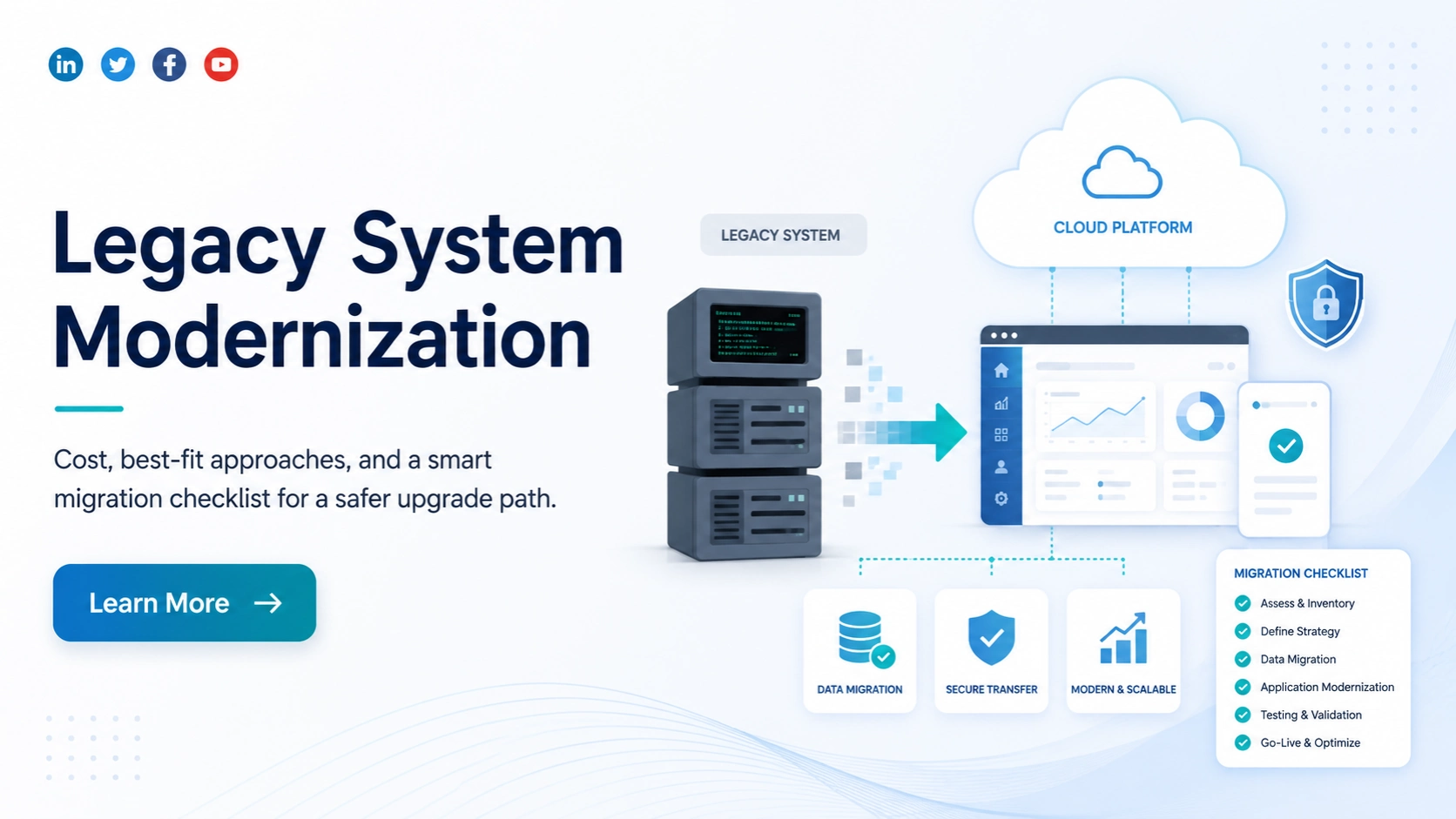
Legacy system modernization is rarely just a technology upgrade. The real challenge is deciding what should be changed, what should stay, how much the project may cost, and how to migrate without interrupting important business operations.
An old application does not automatically need a complete rebuild. Sometimes the infrastructure is the problem. Sometimes technical debt is slowing development. In other cases, the architecture, database, integrations, or unsupported technology make further maintenance too expensive.
That is why a successful legacy software modernization project should begin with assessment and decision-making not coding.
This guide explains how to evaluate your current system, choose the right modernization approach, understand the major cost factors, and use a practical migration checklist before moving production workloads.
Start With a Legacy System Modernization Assessment
Before choosing between rehosting, refactoring, rebuilding, or replacing an application, understand exactly what is running today.
A proper assessment should cover the application architecture, programming languages, frameworks, database, hosting environment, APIs, third-party integrations, scheduled processes, security controls, reporting systems, data volume, and critical business workflows.
| Area | What to Review | Why It Matters |
| Application | Framework, language, code structure | Shows development complexity |
| Architecture | Monolith, modules, services | Helps select the modernization approach |
| Database | Size, schema, custom logic | Determines data migration effort |
| Integrations | CRM, ERP, APIs, payments | Reveals hidden dependencies |
| Infrastructure | On-premise, cloud, servers | Helps plan hosting modernization |
| Security | Authentication, permissions, vulnerabilities | Identifies modernization risks |
| Business Logic | Custom workflows and rules | Prevents important functionality from being lost |
The age of the software is only one factor. A ten-year-old application with clean architecture and good documentation may be easier to modernize than a five-year-old application with tightly coupled code and undocumented integrations.
The assessment should therefore answer one important question:
What is actually making the system difficult, risky, or expensive to maintain?

Decide What Should Be Modernized, Replaced or Retained
Not every part of a legacy application needs the same treatment.
A system may contain stable modules that still work well, outdated infrastructure that only needs migration, and highly complex components that require a complete redesign.
The right decision depends on the actual problem.
| Current Situation | Likely Modernization Direction |
| Application works but infrastructure is outdated | Rehost or replatform |
| Technology is outdated but business logic is valuable | Refactor |
| Architecture limits performance or scalability | Rearchitect |
| Large amounts of technical debt affect development | Refactor or rebuild |
| Existing system cannot support future requirements | Rebuild |
| Standard SaaS can replace custom functionality | Replace |
| System has little remaining business value | Retire |
This decision alone can prevent unnecessary modernization costs.
Rebuilding an entire application because one layer is outdated can waste budget. On the other hand, continuously patching a system whose architecture has reached its limits can cost more over time.
Choose the Right Legacy Modernization Approach
There is no single best legacy application modernization strategy. The right approach depends on your business goals, technical condition, timeline, budget, and acceptable migration risk.
Rehost
Rehosting moves the existing application to a new infrastructure environment with minimal changes to the code.
It can be useful when the main problem is old infrastructure rather than application architecture.
Rehosting is normally faster and less disruptive, but it does not remove major technical debt inside the application.
Replatform
Replatforming makes selected platform-level improvements while keeping most of the application unchanged.
For example, you may move the application to cloud infrastructure, upgrade the database, or replace certain runtime components.
This provides more improvement than a basic rehost without requiring a complete rewrite.
Refactor
Refactoring improves the internal structure of the existing code while preserving its core functionality.
It can be a strong option when the application’s business logic is valuable but poor code quality, outdated frameworks, or technical debt make future development difficult.
Rearchitect
Rearchitecting changes how the application is structured.
A tightly coupled monolithic application, for example, may be redesigned into more modular services or components.
This approach can improve scalability and maintainability, but it usually requires more planning, development, and testing.
Rebuild
Rebuilding creates a new application while using the existing system mainly as a reference for business requirements.
It becomes relevant when the current architecture, codebase, and technology stack are too outdated or expensive to maintain.
A rebuild provides greater freedom, but it usually carries higher cost and migration complexity.
Replace
Replacement means moving from the existing custom system to another commercial product, SaaS platform, ERP, CRM, or industry-specific application.
This can make sense when your business processes no longer require highly customized software.
Modernization Approach Comparison
| Approach | Relative Cost | Time | Code Change | Best Fit |
| Rehost | Low | Short | Minimal | Infrastructure problems |
| Replatform | Low–Medium | Short–Medium | Limited | Platform improvement |
| Refactor | Medium–High | Medium | Significant | Technical debt |
| Rearchitect | High | Medium–Long | Major | Architecture limitations |
| Rebuild | High | Long | Complete | Severely outdated systems |
| Replace | Variable | Medium | New platform | Standard business processes |
The important point is to choose the approach based on the actual cause of the legacy problem, not simply because one modernization strategy sounds more advanced.

How Much Does Legacy System Modernization Cost?
Legacy system modernization cost can vary significantly because two applications of similar size may have completely different levels of complexity.
A simple infrastructure migration will usually cost far less than rebuilding a business-critical application with years of custom business logic, large databases, and dozens of third-party integrations.
A useful way to think about budget is:
Rehosting → generally lower cost
Replatforming → low to moderate
Refactoring → moderate to high
Rearchitecting → high
Complete rebuild → usually highest
The modernization approach is important, but it is not the only factor.
In many projects, the largest effort comes from understanding existing business logic, managing dependencies, migrating data, testing integrations, and keeping the old and new systems running safely during the transition.
What Actually Determines Legacy Modernization Cost?
Codebase Complexity
Large codebases require more analysis, testing, and migration effort.
Complexity increases further when the application contains duplicated logic, tightly connected modules, custom patches, or limited documentation.
Existing Architecture
A modular application is normally easier to change gradually.
A tightly coupled monolith can require deeper architectural work because changing one component may affect many others.
Technology Stack
Unsupported programming languages, outdated frameworks, old operating systems, or discontinued libraries can increase modernization effort.
Sometimes the first challenge is simply understanding how the existing technology behaves.
Technical Debt
Technical debt directly affects modernization cost.
Poor code quality, temporary fixes, undocumented functions, and inconsistent development practices increase the time required to safely change the system.
Data Quality and Volume
Moving clean and structured data is very different from migrating years of duplicated, incomplete, or inconsistent records.
Data cleansing, mapping, transformation, synchronization, and validation can become a major part of the project.
Third-Party Integrations
Legacy applications often connect with CRM systems, ERP platforms, payment gateways, accounting software, email systems, external APIs, and internal applications.
Each dependency needs to be discovered, tested, and validated after migration.
Business-Critical Workflows
A system supporting finance, operations, orders, customer data, inventory, or other important business processes may require near-zero downtime.
That usually means additional staging environments, synchronization, parallel operation, monitoring, and rollback planning.
Security and Compliance
Modernization may also require stronger authentication, encryption, logging, access control, audit trails, data privacy controls, or industry-specific security requirements.
Testing
Regression testing, integration testing, performance testing, security testing, and user acceptance testing should be included in the modernization budget from the beginning.
Migration Strategy
A phased migration and a single big-bang migration have very different cost and risk profiles.
The biggest modernization costs often come from dependencies, data, testing, and hidden business logic not simply from rewriting screens.
Big-Bang vs Phased Modernization
One of the most important decisions is whether to replace the system in one major migration or modernize it gradually.
A big-bang migration moves most or all of the system at once. It can shorten the transition period, but failures can affect a larger part of the business.
A phased modernization strategy moves applications, modules, or workflows gradually. This takes longer but can reduce operational risk and make rollback easier.
| Factor | Big-Bang | Phased |
| Migration Speed | Faster | Gradual |
| Operational Risk | Higher | Lower |
| Rollback | More difficult | Easier |
| Parallel Systems | Usually shorter | Often longer |
| Best Fit | Smaller, simpler systems | Complex business-critical systems |
For large legacy systems, phased modernization is often easier to control because problems can be isolated before the next component is migrated.
Where the Strangler Fig Pattern Fits
The Strangler Fig pattern is useful when replacing an entire legacy system at once would create too much risk.
Instead of immediately shutting down the old application, new functionality is gradually built around it.
Individual modules, APIs, or workflows are moved to the new application over time. Traffic is progressively redirected until the old functionality is no longer required.
For example:
A legacy ordering system may contain customer management, pricing, payments, inventory, reporting, and order processing.
Instead of rebuilding everything before launch, the business could modernize customer management first, then reporting, followed by inventory and other modules.
The legacy application continues operating while each area is replaced.
This approach can work well for large monolithic applications and systems that cannot tolerate a long shutdown.
Legacy System Modernization Roadmap
A practical modernization roadmap can be divided into clear stages.
Discovery and Assessment
Understand the application, infrastructure, database, integrations, business workflows, dependencies, security requirements, and technical debt.
Define the Modernization Scope
Decide which components should be retained, rehosted, refactored, rearchitected, rebuilt, replaced, or retired.
Design the Target Architecture
Define how the modernized application, database, APIs, infrastructure, security, monitoring, and deployment process should work.
Plan the Migration Sequence
Prioritize modules according to business value, dependency level, migration risk, and technical complexity.
Modernize the Application
Develop, refactor, migrate, or replace the selected components according to the chosen strategy.
Migrate the Data
Clean, map, transform, migrate, and validate business data.
Test the New Environment
Validate application functionality, integrations, security, performance, and critical business workflows.
Production Cutover
Move production traffic and data according to a predefined migration plan.
Stabilization
Monitor application errors, performance, integrations, user workflows, and data consistency.
Legacy Decommissioning
Retire the old system only after the new environment has been fully validated and the business no longer requires rollback.
Treat Legacy Data Migration as a Separate Workstream
Data migration should not be treated as a small technical step near the end of the project.
It needs its own plan.
Start by understanding what data exists, where it is stored, which records are still useful, and how different systems depend on that data.
Old databases often contain duplicate records, inconsistent formats, obsolete information, missing values, or custom relationships that are not clearly documented.
Before production migration, teams should perform trial migrations and compare the results.
Validation should check more than the number of records.
Important business values such as balances, transactions, customer relationships, inventory counts, order histories, and reporting totals should also match.
If old and new systems operate together during a phased migration, a synchronization strategy is required so that information remains consistent in both environments.

Map Dependencies Before You Migrate Anything
Dependency mapping is one of the most important steps in legacy software modernization.
A feature may appear independent while silently relying on another database, scheduled script, API, report, email service, shared authentication system, payment gateway, or file transfer.
Missing one dependency can break an otherwise successful migration.
Before moving a module, document its connections to:
APIs, databases, scheduled jobs, reports, authentication systems, payment services, CRM or ERP platforms, file imports, exports, email systems, third-party applications, and manual business processes.
A useful rule is simple:
If the team cannot clearly explain what will happen when a module is disconnected from the legacy environment, the dependency analysis is not complete.
Test Business Workflows, Not Only Features
Modernization testing should confirm that the new application works from the user’s point of view.
A page loading successfully does not mean the complete business process works.
For example, an order may need to:
Create a customer record → calculate pricing → check inventory → process payment → create an invoice → send an email → update accounting → appear in a report.
Every step can work individually while the complete workflow still fails.
Testing should therefore cover functional behaviour, regression risk, integrations, migrated data, application performance, security, user acceptance, and recovery procedures.
Critical workflows should be validated before production traffic is moved.
Prepare a Cutover and Rollback Plan
Production migration should never depend on improvisation.
The cutover plan should clearly define when migration starts, who is responsible for each step, when production changes will be frozen, how final data will be synchronized, what will be tested after deployment, and when traffic will move to the new environment.
A rollback plan is equally important.
Define the conditions that would trigger rollback before migration begins.
Examples include major data inconsistencies, authentication failure, unavailable integrations, unacceptable performance, or failure of a critical business workflow.
Teams should also know exactly how the previous environment will be restored if those conditions occur.
Legacy System Migration Checklist
Use this checklist before approving a production migration:
Assessment: application inventory completed; architecture reviewed; technical debt assessed; business-critical workflows documented; integrations and dependencies mapped.
Modernization planning: modernization approach selected; target architecture approved; migration sequence defined; security requirements reviewed; performance baseline recorded.
Data preparation: legacy data reviewed; duplicate and obsolete data identified; field mapping completed; transformation rules created; trial migration completed; validation criteria approved.
Testing: functional testing completed; regression testing passed; integrations validated; security testing completed; performance tested; user acceptance completed; recovery process tested.
Cutover: final backup available; migration window approved; production freeze planned; responsible owners assigned; communication plan ready; monitoring configured; rollback criteria documented.
Post-migration: business workflows validated; data totals checked; integrations monitored; performance reviewed; errors tracked; users supported; legacy environment retained until final approval.
A checklist does not remove modernization risk, but it greatly reduces the chance of discovering critical issues during production migration.
Common Legacy Modernization Failures
Many modernization projects fail for predictable reasons.
One common problem is starting development before the existing system has been properly mapped. Teams then discover undocumented business rules and hidden dependencies halfway through the project.
Another mistake is assuming that old technology automatically means everything should be rewritten. Sometimes retaining stable business logic and modernizing around it is less risky.
Data migration is also frequently underestimated. The application may be ready while poor data quality delays the entire launch.
Some teams test individual features but fail to test complete business workflows. Others switch off the legacy environment immediately after launch, removing their easiest rollback option.
Modernization succeeds more often when the project is treated as a controlled business migration, not simply a software rewrite.
Calculate the Business Case Before Modernizing
Legacy modernization ROI should not be measured only against development cost.
First calculate what the existing system is already costing the business.
Consider maintenance effort, infrastructure, licenses, specialist developers, outages, security risks, manual work, slow releases, integration limitations, and missed opportunities.
Then compare that cost with the modernization investment, migration effort, training, cloud infrastructure, and temporary cost of operating old and new environments together.
A simple framework is:
Modernization ROI = (Expected savings + productivity gains + avoided legacy costs − modernization investment) ÷ modernization investment
The most important question is not:
“How much will modernization cost?”
It is:
“What will continuing with the current system cost over the next three to five years?”
When Should You Modernize a Legacy System?
Modernization becomes more urgent when maintenance costs continue increasing, security updates are unavailable, development depends on rare technology skills, releases take too long, integrations are difficult, system performance limits growth, or technical problems regularly affect business operations.
Modernization may be less urgent when the application remains stable, maintenance is predictable, it does not block strategic goals, and no significant security or scalability problem exists.
A system should therefore be modernized because there is a clear technical or business case not simply because it is old.
Final Decision Framework
A practical way to approach legacy system modernization is to identify the real problem first.
If the infrastructure is outdated but the application still works well, consider rehosting or replatforming.
If technical debt and outdated code are slowing development, consider refactoring.
If the architecture prevents scalability or maintainability, consider rearchitecting.
If the application has reached a point where maintaining the existing code no longer makes financial or technical sense, consider rebuilding or replacing it.
If replacing everything at once creates too much business risk, use phased modernization and gradually migrate workloads.
The best legacy software modernization strategy is not the one that changes the most technology. It is the one that removes the current limitations with the lowest reasonable business risk.
Before development begins, make sure your team can clearly answer four questions:
What are we modernizing? Why are we modernizing it? What could fail during migration? How will we recover if it does?
If those answers are clear, the modernization project is already starting from a much stronger position.
Frequently Asked Questions
Q1. How much does legacy system modernization cost?
The cost depends on application complexity, architecture, data volume, integrations, technical debt, security requirements, testing, and the modernization approach. Rehosting generally requires less investment than refactoring, rearchitecting, or completely rebuilding an application.
Q2. Should we refactor or rebuild a legacy application?
Refactoring is usually better when the existing business logic remains valuable and the underlying system can still be improved safely. Rebuilding may be more practical when the architecture, technology stack, and technical debt make continued development too expensive.
Q3. Can legacy software be modernized without major downtime?
Yes. Phased migration, parallel environments, data synchronization, controlled cutover, and techniques such as the Strangler Fig pattern can reduce disruption. The exact strategy depends on the system architecture and business requirements.
Q4. What is the biggest risk during legacy system migration?
Hidden dependencies and undocumented business logic are among the biggest risks. Data migration, integration failures, insufficient testing, and poor rollback planning can also cause serious production problems.
Q5. What should a legacy system migration checklist include?
It should cover application assessment, dependency mapping, target architecture, data preparation, migration testing, security, backup, cutover, rollback, post-migration validation, monitoring, and legacy-system decommissioning.
Q6. How long does legacy system modernization take?
Timelines vary considerably. A limited rehosting or replatforming project may be relatively short, while refactoring, rearchitecting, or rebuilding a complex business-critical application may require a phased program over a much longer period.
Q7. How should legacy data be migrated?
Legacy data should first be discovered, cleaned, mapped, transformed, trial-migrated, and validated. Production migration should include backups, reconciliation checks, and a synchronization strategy when old and new applications operate together.
Q8. When should the old legacy system be decommissioned?
Only after the modernized system has passed production validation, critical workflows are stable, migrated data is confirmed, integrations are working, and the agreed rollback period has ended.


