
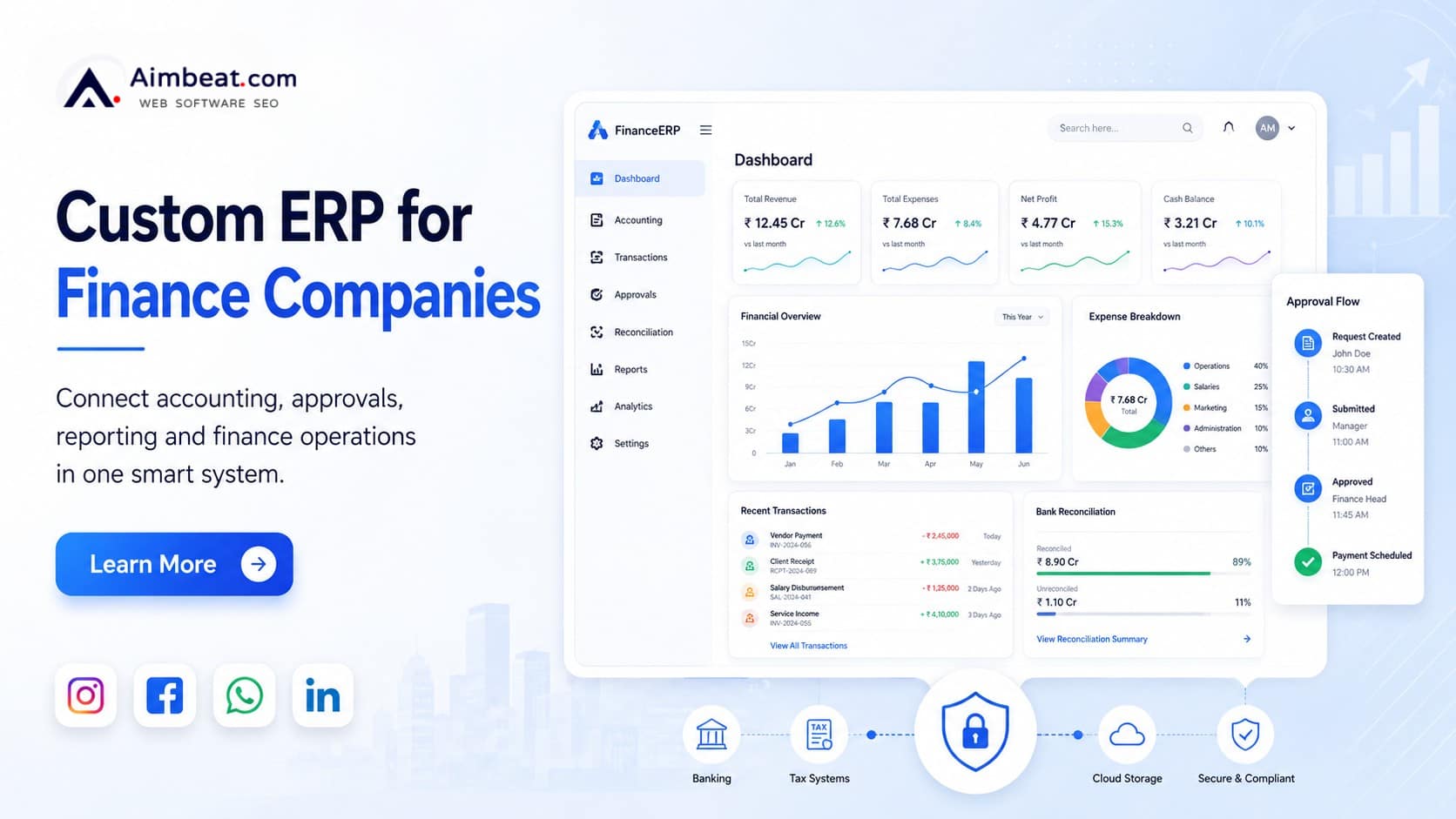
Finance companies rarely struggle because they do not have enough software. The real problem is that their systems often do not work together.
Customer details may be stored in a CRM. Loan or transaction records may be managed in another platform. Accounting teams may use separate software, while approvals move through email, WhatsApp or spreadsheets. Management reports are then prepared by collecting data from all these sources.
This creates delays, duplicate entries, reconciliation issues and limited visibility.
Custom ERP software for finance companies connects these operations within one controlled platform. It can bring customer records, transactions, accounting, approvals, documents, reconciliation, reporting and internal workflows together based on how the company actually works.
Unlike a standard ERP product, a custom ERP is not built around fixed processes. It is designed around the finance company’s business model, operational rules, approval levels, existing software and reporting needs.
Where Finance Companies Lose Operational Control
Most finance companies already use multiple digital systems. However, using more software does not always create better control.
Problems begin when data has to be manually moved between systems.
For example, a payment may be recorded in a loan management system but not correctly reflected in the accounting platform. A branch may update a repayment entry in a spreadsheet, while the head office works with older information. A customer document may be available with the operations team but missing from the compliance team’s records.
These disconnected processes can create several operational gaps:
- The same customer or transaction data is entered multiple times.
- Accounting records do not match operational records.
- Payment and settlement reconciliation takes too long.
- Approvals are difficult to track.
- Branches follow different reporting formats.
- Management receives delayed or incomplete reports.
- Compliance teams depend on manually prepared information.
- Employees cannot easily identify the latest document or transaction status.
The main issue is not simply manual work. It is the lack of one reliable source of business information.
A custom financial ERP creates a central system where teams work with the same records, follow the same approval rules and view updated information based on their access permissions.

What a Custom ERP Should Manage in a Finance Company
A custom ERP should not be limited to accounting. Finance companies need operational and financial processes to work together.
The exact modules will depend on the business model, but most financial-service ERP systems need to cover the following areas.
Customer and Account Management
The ERP should maintain a structured record for every customer, account, application or financial relationship.
This can include customer profiles, KYC records, contact details, linked accounts, loan information, document status, communication history and internal risk categories.
Instead of searching across emails, spreadsheets and separate applications, authorised employees should be able to view the complete customer record from one place.
Access should still be controlled. A customer service executive, branch manager, accountant and compliance officer may need different levels of visibility.
Transaction and Payment Management
Finance companies process different types of financial activity. These may include disbursements, repayments, collections, refunds, charges, penalties, settlements and internal transfers.
A custom ERP can record and track every transaction with its date, amount, source, status, reference number, related customer and accounting impact.
The system should also clearly identify failed, reversed, pending or unmatched transactions.
This gives operational teams a clear transaction trail and reduces the need to verify information manually across different platforms.
Accounting and Financial Control
The accounting module should connect with operational data rather than depend on repeated manual entries.
Depending on the company, the ERP may include:
- General ledger
- Accounts payable and receivable
- Bank and cash records
- Branch accounting
- Cost-centre tracking
- Expense management
- Tax-related records
- Financial consolidation
- Budgeting and forecasting
- Cash-flow reporting
The objective is not to replace every specialised financial system. The objective is to ensure that accounting teams receive accurate and structured information from operational processes.
Approval and Exception Management
Finance companies usually have multiple approval levels based on amount, role, branch, customer category or transaction type.
For example, a payment refund below a defined value may require one approval, while a larger refund may require approval from finance and senior management.
A custom ERP can automate these approval paths.
The system can route requests to the correct person, send reminders, record comments, maintain approval history and escalate delayed requests.
It can also manage exceptions such as limit changes, write-offs, unusual expenses, settlement differences or policy deviations.
This makes approvals visible and traceable instead of leaving them inside messages or email threads.
ERP Requirements for Different Finance Business Models
Every finance company does not need the same ERP structure. The system should reflect the actual business model.
ERP Software for NBFCs and Lending Companies
NBFCs and lending businesses often work with loan origination systems, loan management platforms, collection tools, accounting software and customer-service applications.
A custom ERP can connect these systems and provide one operational view.
It may help manage application records, disbursement coordination, repayment schedules, overdue accounts, collection status, branch performance, vendor payments and management reporting.
The ERP does not necessarily need to replace the loan management system. It can act as the central layer that connects loan information with accounting, approvals, documents, expenses and reporting.
This is especially useful when the company operates across multiple branches or offers several loan products.
ERP Software for Fintech Companies
Fintech businesses often process large volumes of transactions through APIs, payment gateways, banking partners and third-party platforms.
Their ERP requirements may include transaction recording, partner settlements, payment reconciliation, customer onboarding, revenue recognition, vendor payments and product-wise reporting.
A custom ERP can collect data from different platforms and convert it into structured operational and financial records.
It can also help management understand transaction volumes, settlement delays, failed payments, platform charges and product performance without depending on several separate reports.
ERP for Microfinance Companies
Microfinance companies may manage individual and group loans, field collections, centre operations, agents, branches and daily repayment activity.
Their ERP may need mobile access, field-level data entry and controlled offline functionality.
It can track customer records, repayment schedules, collection activity, agent productivity, branch-wise performance and overdue accounts.
Because microfinance teams often work across several locations, the ERP should also support data validation and clear user permissions.
ERP for Investment and Wealth Management Firms
Investment and wealth management firms need to manage client information, investment records, service fees, commissions, documents and advisor activity.
A custom ERP can connect client servicing, finance operations, document control and management reporting.
It can also help track portfolio-related fees, partner payments, advisor performance and entity-level financial records.
The ERP should complement specialised portfolio or trading systems, not try to recreate their core functions without a clear business need.

Financial Reconciliation Should Be a Core ERP Function
Reconciliation is one of the most important requirements in financial ERP software.
When transaction volumes grow, manually comparing bank records, payment gateway data, customer payments and accounting entries becomes slow and error-prone.
A custom ERP can automate different forms of reconciliation, including:
- Bank reconciliation
- Payment gateway reconciliation
- Loan repayment reconciliation
- Branch collection reconciliation
- Partner settlement reconciliation
- Customer account reconciliation
- Accounting ledger reconciliation
The system should not only show whether records match. It should identify why they do not match.
For example, it can flag missing transactions, amount differences, duplicate entries, delayed settlements, failed payments or incorrect account mappings.
A useful reconciliation dashboard should separate matched, partially matched and unmatched records. It should also allow authorised users to review, correct and close exceptions with a complete activity history.
This reduces the time spent checking transactions and gives management a clearer view of pending financial issues.
How a Custom ERP Supports Compliance and Audits
ERP software does not replace legal, financial or regulatory professionals. However, it can make compliance processes more organised and traceable.
Finance companies often need to show who created, reviewed, changed or approved a record.
A custom ERP can maintain this information through audit trails, user activity logs, approval history and document versions.
Important compliance-supporting capabilities may include:
- Maker-checker workflows
- Role-based access
- Approval history
- Record modification logs
- Document version control
- Data retention rules
- Exception reporting
- Controlled downloads
- Activity monitoring
- Access review reports
For example, when a transaction value is changed, the ERP can record the previous value, updated value, user name, date, time and approval status.
This level of traceability helps internal teams investigate issues and prepare information during reviews or audits.
It also reduces the risk of important changes happening without visibility.
Reports Finance Companies Actually Need
A financial ERP should not be filled with charts that look impressive but do not support decisions.
Reports should be designed around the questions management and operational teams need to answer.
Management Reports
Management may need visibility into:
- Daily business performance
- Branch-wise revenue
- Product-wise income
- Collection efficiency
- Outstanding receivables
- Cash-flow position
- Expense variance
- Customer growth
- Transaction volume
- Operational turnaround time
These reports should allow users to filter information by branch, product, period, customer type or business unit.
Operational Reports
Operations teams may need reports on pending approvals, failed transactions, unmatched payments, incomplete documents, overdue accounts and unresolved customer requests.
These reports should help teams take action rather than simply display totals.
For example, instead of showing only the number of unmatched payments, the report should allow users to open each record, understand the reason and assign it for resolution.
Risk and Compliance Reports
Risk and compliance teams may need access to high-risk customers, policy exceptions, incomplete verification records, unusual activity, user-access violations and approval deviations.
These reports should follow the company’s internal policies and operating rules.
They should also be configurable because reporting requirements may change as the company grows or introduces new financial products.
Integrations a Financial ERP May Require
A custom ERP cannot deliver its full value if it remains disconnected from the systems already used by the business.
Depending on the company, integration may be required with:
- Loan origination systems
- Loan management software
- Banking platforms
- Payment gateways
- Accounting applications
- CRM software
- KYC and verification services
- Credit bureau services
- Document management systems
- HRMS and payroll software
- Business intelligence platforms
Before creating an integration, the development team should define which system will be the source of truth.
For example, the loan management system may remain the primary source for repayment schedules, while the ERP becomes the primary source for expense approvals and branch accounting.
Every integration should also define:
- Which data will be exchanged
- How frequently it will be synchronised
- How duplicate records will be prevented
- What happens when an integration fails
- Who can correct an error
- How changes will be logged
Without these rules, integration can create more confusion instead of improving control.
Security Controls Required in Financial ERP Software
Security should be planned from the beginning of ERP development.
Finance companies manage sensitive customer, transaction, employee and business information. Giving every user the same level of access creates unnecessary risk.
A custom ERP should provide role-based access based on the employee’s job responsibility, branch, department and approval authority.
A branch employee may only need access to customers within that branch. A finance manager may need access to accounting data across several branches. Senior management may need consolidated reports without access to every editable record.
Other security controls may include multi-factor authentication, data encryption, session controls, sensitive-field masking, IP restrictions, approval limits and activity monitoring.
Backup and recovery planning is equally important.
The company should define how frequently data is backed up, where backups are stored, how quickly systems can be restored and who can access recovery information.
Custom ERP vs Ready-Made ERP for Finance Companies
A ready-made ERP may be suitable when the company follows standard processes and can adapt its operations to the software.
A custom ERP is more suitable when the business has specialised workflows, complex approvals, unique integrations or industry-specific reporting requirements.
| Requirement | Ready-Made ERP | Custom ERP |
| Workflow design | Based on standard processes | Based on the company’s actual process |
| Approval structure | Limited to available settings | Can follow custom roles and limits |
| Financial integrations | May require third-party extensions | Can be developed around existing systems |
| Reports | Mostly predefined | Designed around management requirements |
| Implementation | Usually faster | Requires structured planning and development |
| Flexibility | Depends on product limitations | Can evolve with business needs |
| Initial investment | Often lower | Usually higher |
| Ownership and control | Vendor-dependent | Greater control over features and roadmap |
Custom development should not be selected only because it offers more flexibility.
It makes sense when the value of improved control, automation and integration is greater than the cost of building and maintaining the system.
When Should a Finance Company Consider Custom ERP Development?
A finance company should consider a custom ERP when its existing software no longer supports the way the business operates.
Common signs include repeated data entry, long reconciliation cycles, reports that depend heavily on Excel and approvals that cannot be easily tracked.
It may also be time to consider ERP development when branches follow different processes, compliance reports take too long to prepare or the company cannot launch new products because its existing systems are too rigid.
Another important sign is limited management visibility.
When senior teams cannot quickly understand current collections, pending settlements, branch performance, expenses or operational risks, the business may need a connected ERP platform.
However, ERP development should not begin with a list of desired screens.
It should begin with a clear review of the business processes that need to be improved.

How to Plan a Custom ERP Before Development
The success of an ERP depends heavily on the planning completed before coding begins.
Map the Current Workflow
Document how customer records, transactions, approvals, accounting and reporting currently work.
This should include both official processes and the actual steps employees follow every day.
In many businesses, teams use manual workarounds that are not included in formal documents. These workarounds must be understood before designing the new ERP.
Identify the Source of Truth
Decide which system will own each type of data.
The ERP does not always need to own everything. Customer data may come from a CRM, transaction data from a specialised platform and employee information from an HRMS.
The important point is to define which system holds the final approved record.
Prioritise ERP Modules
Trying to launch every module at once can increase cost, risk and implementation time.
Separate essential launch modules from future improvements.
For example, the first phase may cover accounting integration, approvals, documents and management reporting. Advanced forecasting or mobile features may be planned for later phases.
Define User Roles and Approval Levels
User permissions should be mapped before development.
Define who can create, view, edit, approve, export and delete each type of record.
Approval limits should also be documented by role, amount, branch, product or transaction type.
Prepare for Data Migration
Old data may contain duplicate customers, incomplete records, inconsistent account names and outdated information.
Migrating this data without cleaning it can transfer existing problems into the new ERP.
The migration plan should define which records will be moved, how they will be validated and how historical information will be accessed after launch.
Recommended ERP Implementation Approach
A phased implementation is often more practical for finance companies.
The first phase should focus on discovery and process mapping. This includes user interviews, workflow reviews, system audits and data assessment.
The next phase should create the core ERP foundation, including organisation structure, user roles, approval workflows and master records.
Operational modules can then be added for transactions, expenses, documents, reconciliation and branch management.
Once the core platform is stable, integrations and dashboards can be developed around verified data flows.
Before rollout, the ERP should go through security testing, performance testing, user acceptance testing and migration validation.
A gradual rollout across selected departments or branches may be safer than moving the entire organisation to the new system on one day.
Factors That Affect Custom ERP Development Cost
There is no single cost for custom ERP software because every finance company has different workflows and technical requirements.
The development cost depends on the number of modules, users, branches and integrations.
A system with basic accounting, approvals and reporting will require less work than an ERP that connects multiple lending platforms, banks, payment gateways and compliance processes.
Transaction volume also affects system architecture. An ERP processing a few thousand records each month will have different performance requirements from one processing millions of transactions.
Other cost factors include data migration, mobile access, security requirements, cloud infrastructure, custom dashboards and post-launch support.
A proper estimate should be prepared only after reviewing the business workflows and existing systems.
Questions to Ask an ERP Software Development Company
Before choosing a development partner, ask questions that reveal how the team approaches finance-company operations.
Ask how they will study your current workflows and identify integration requirements. Understand how they plan to manage reconciliation errors, user roles, approval limits and historical data migration.
You should also ask how system performance will be tested as transaction volumes grow.
Ownership is another important area. Confirm who will own the source code, database, technical documentation and access credentials.
Finally, understand what happens after launch. ERP systems require monitoring, updates, user support and improvements as the business changes.
Final Takeaway
A finance company does not need another disconnected tool.
It needs a system that connects customer data, financial activity, accounting, approvals, documents, reconciliation and reporting without removing the value of existing specialised platforms.
Custom ERP software for finance companies is most valuable when it is built around real workflows, clear data ownership, controlled access and measurable operational needs.
The goal should not be to digitise every existing manual process exactly as it is. The goal should be to simplify those processes, remove duplicate work and give management reliable information from one connected system.
Planning a custom ERP for your finance company? Get a free software consultation to review your workflows, required modules, integrations and implementation priorities.


