
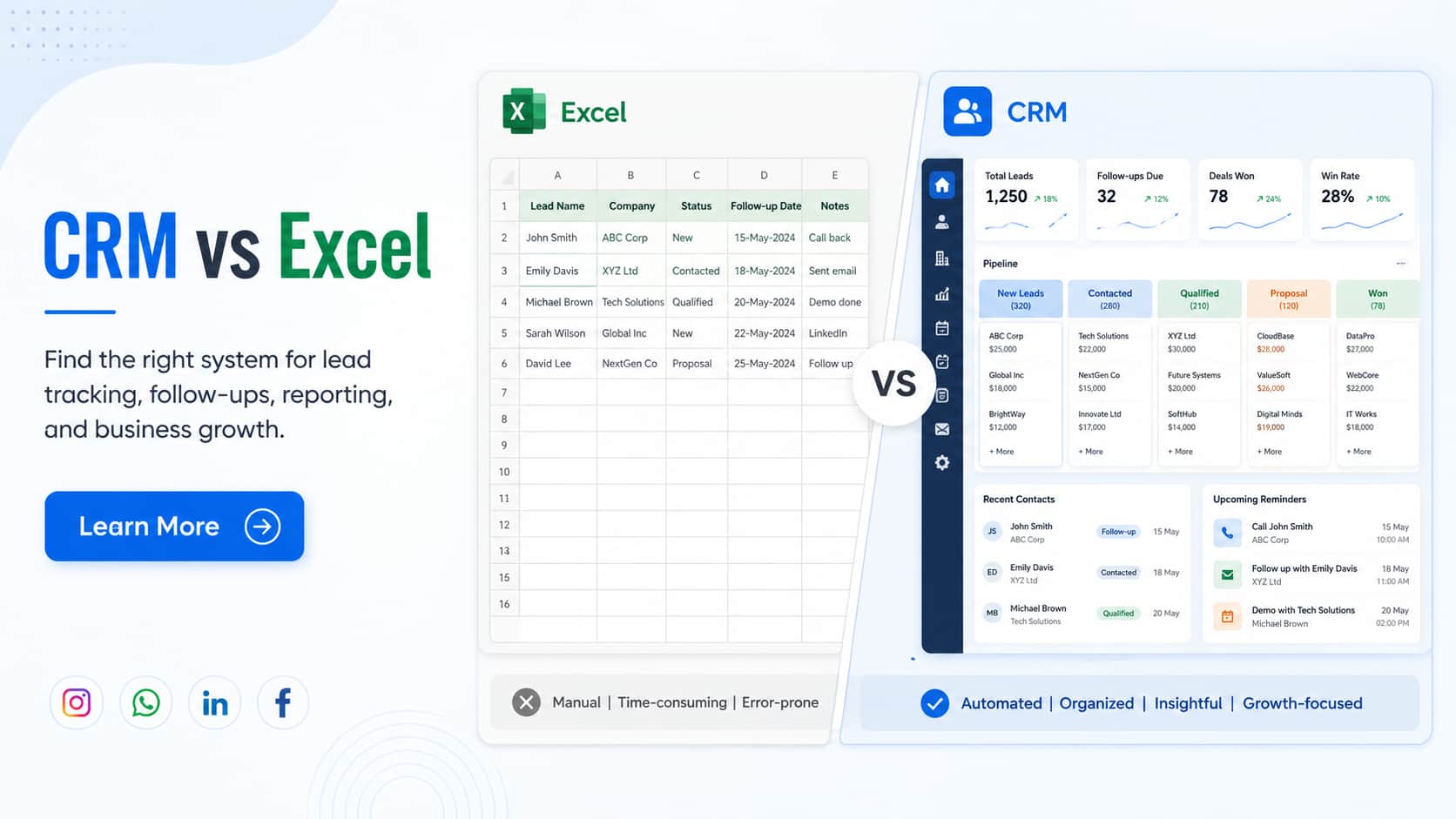
Excel is often the first tool businesses use to manage leads, customer details, follow-up dates, sales values, and payment information. It is familiar, flexible, and easy to start with.
For a small operation, that may be enough.
The problem begins when enquiries start coming from several sources, more employees become involved, and customer follow-ups depend on people checking different spreadsheets every day.
One salesperson may update one file. Another may maintain a separate copy. Customer conversations remain in emails, WhatsApp chats, call notes, and personal devices. Managers then spend time asking for updates before they can understand the actual sales position.
At this stage, the question is no longer whether Excel can store customer data. It can.
The real question is whether Excel can continue managing your customer process without creating delays, duplicate records, missed follow-ups, and reporting problems.
This CRM software vs Excel comparison will help you understand where each option works, when your business may need to switch, and whether a ready-made or custom CRM is the right next step.
CRM vs Excel: A Quick Decision for Your Business
Excel is suitable when customer management is simple, the number of enquiries is limited, and one person controls most of the process.
CRM software is more suitable when several people manage leads, customer communication needs to be recorded, follow-ups must be automated, and management needs real-time reports.
Here is a practical comparison:
| Business situation | Excel may be enough | CRM is more suitable |
| One person manages customer data | Yes | Optional |
| Customer list is small | Yes | Optional |
| Multiple employees manage leads | Limited | Yes |
| Leads come from several sources | Difficult | Yes |
| Follow-ups are frequently missed | No | Yes |
| Customer history must be recorded | Difficult | Yes |
| Real-time sales reports are required | Limited | Yes |
| Different access levels are needed | Limited | Yes |
| Sales tasks need automation | No | Yes |
| Customer data must connect with other software | Difficult | Yes |
These are not fixed rules. A business with only a few customers may still need CRM software if the sales process involves several approvals, long follow-up cycles, sensitive information, or multiple departments.
The right system depends more on process complexity than company size alone.

When Excel Is Still the Right Choice
Excel is not a poor business tool. It remains useful when the process is simple and properly controlled.
A freelance consultant receiving 10 to 15 enquiries each month may only need to record the customer’s name, phone number, service requirement, estimated value, and next follow-up date.
If one person manages the entire process and the spreadsheet is updated regularly, moving to CRM software may not provide enough additional value at that stage.
Excel may still be suitable when:
- One person handles customer communication
- The number of active leads is limited
- Follow-ups are infrequent
- There are no complex sales stages
- Automation is not required
- The file is used mainly for calculations and basic analysis
- The process is temporary or still being tested
Excel also gives businesses complete freedom to create columns, formulas, filters, charts, and reports without following a fixed software structure.
However, that flexibility can later become a weakness.
Employees may add different columns, use different status names, enter dates in different formats, or save separate copies of the same file. As the business grows, the spreadsheet becomes harder to control.
Excel usually becomes risky when several employees depend on it for daily customer management.
How the Same Sales Lead Is Managed in Excel and CRM
The difference between CRM software and Excel becomes easier to understand when we follow the same customer enquiry through both systems.
Imagine that a potential customer completes a contact form on your company website.
Managing the lead in Excel
The enquiry first reaches an email inbox. An employee opens the message and manually copies the customer’s details into an Excel sheet.
The employee then enters the enquiry date, service requirement, lead source, expected value, and assigned salesperson.
After calling the customer, the salesperson adds notes in one of the cells. A follow-up date may be entered in another column.
The salesperson must remember to open the sheet and check which customers need to be contacted. If the file is not updated, the manager may believe the lead is still new even though the customer has already received a proposal.
When management wants a sales report, someone must filter the sheet, correct incomplete entries, group lead stages, and calculate expected revenue.
If another employee uses an older copy of the file, the latest information may not be available.
Managing the lead in CRM software
With CRM software, the website enquiry can automatically enter the system.
The lead source is recorded, the customer is assigned to the correct salesperson, and a notification is sent immediately.
The salesperson can call the customer, update the lead stage, record notes, schedule the next action, and upload the proposal in the same record.
If the follow-up is not completed on time, the CRM can show an overdue task or send a reminder.
Managers can see the latest lead status, expected value, communication history, and responsible employee without requesting a separate update.
This is the main difference between CRM and Excel.
Excel stores information. CRM software manages the process around that information.
CRM Software vs Excel Based on Daily Business Operations
A useful CRM vs Excel comparison should focus on everyday work rather than only comparing features.
| Business activity | Excel | CRM software | Business impact |
| Lead capture | Usually entered manually | Captured from forms, ads, calls, or integrations | Reduces missed enquiries |
| Lead assignment | Updated manually | Assigned automatically using rules | Improves response speed |
| Follow-up reminders | Dates entered in cells | Automated tasks and alerts | Reduces missed follow-ups |
| Customer history | Spread across rows, files, emails, and chats | Stored in one customer record | Improves communication |
| Sales pipeline | Manually prepared | Updated in real time | Provides clear deal visibility |
| Team collaboration | File sharing and comments | Shared records with activity tracking | Reduces confusion |
| Duplicate management | Difficult to control | Duplicate detection can be applied | Keeps data cleaner |
| Reporting | Formulas and manual work | Automated dashboards | Supports faster decisions |
| User permissions | Mostly file-level access | Role-based permissions | Improves data control |
| Integrations | Limited | Can connect with websites, email, ERP, accounting, and other systems | Creates connected operations |
| Scalability | Becomes difficult as complexity grows | Built for growing users and records | Supports expansion |
Lead capture and response speed
Businesses now receive enquiries from many sources, including websites, Google Ads, social media, WhatsApp, IndiaMART, Justdial, referrals, phone calls, and offline campaigns.
When each enquiry must be copied manually into Excel, some leads may be entered late or missed entirely.
CRM software can bring leads from different sources into one system. It can also record where each lead came from, making it easier to compare lead quality and marketing performance.
Faster lead assignment can also improve response time. Instead of waiting for someone to review a spreadsheet, CRM software can assign leads according to location, product category, department, branch, or employee availability.
Follow-up control
A follow-up date in Excel is only useful if someone checks it.
The spreadsheet itself may not remind the salesperson, notify a manager, or highlight how long the lead has remained inactive.
CRM software can create tasks, reminders, notifications, and escalation rules.
For example, if a salesperson does not contact a new lead within two hours, the system can notify a sales manager. If a proposal remains unanswered for five days, another follow-up task can be created automatically.
This creates a repeatable sales process instead of depending entirely on employee memory.
Sales pipeline visibility
In Excel, sales stages are often entered using text such as New, Contacted, Interested, Proposal Sent, Negotiation, Won, or Lost.
The information may exist, but it is not always easy to understand how many opportunities are moving forward or where deals are getting delayed.
CRM software presents these stages as a structured sales pipeline.
Managers can quickly review:
- How many new leads entered the system
- Which proposals are awaiting approval
- Which deals are likely to close
- Which salesperson has too many pending leads
- How much potential revenue is in each stage
- Why customers are rejecting offers
This visibility helps the business take action before opportunities are lost.
Reporting and forecasting
Excel can create detailed reports, but the quality of those reports depends on correct data, formulas, and regular manual updates.
CRM dashboards can show real-time information such as conversion rates, lead sources, average response time, salesperson performance, expected revenue, deal closure time, and lost-deal reasons.
Management no longer needs to combine several files before every review meeting.
Reports become part of the daily system rather than a separate monthly activity.

The Hidden Cost of Managing Sales in Excel
Excel often appears cheaper because the business already has access to it.
However, software cost is only one part of the decision.
The business should also calculate how much employee time is spent entering data, correcting mistakes, checking multiple files, preparing reports, and searching for old customer information.
Suppose four sales employees spend 30 minutes every working day updating and checking spreadsheets.
That equals approximately 40 working hours every month.
The business is paying for an entire working week of manual spreadsheet management before considering the cost of missed follow-ups, duplicated work, or lost enquiries.
A simple formula can help estimate this cost:
Monthly manual management cost = Number of employees × daily spreadsheet time × working days × hourly employee cost
The hidden cost may also include situations that are harder to calculate.
A salesperson may forget to contact a customer. An outdated quotation may be shared. Two employees may contact the same lead. A manager may make a decision using an incomplete report.
Excel itself is not responsible for these problems. They happen because the process has become too complex for a manually controlled file.
10 Signs Your Business Has Outgrown Excel
Businesses rarely move from Excel to CRM because of one major incident. The need usually becomes clear through repeated operational problems.
Your business may have outgrown Excel when:
- Several employees or departments maintain customer information.
- Different versions of the same spreadsheet are being used.
- Salespeople regularly miss follow-up dates.
- Managers must ask employees for updates before every review.
- Enquiries come from several online and offline sources.
- Customer conversations are spread across email, WhatsApp, phones, and personal notes.
- Preparing a sales report takes more than 30 to 60 minutes.
- The business cannot clearly identify why deals are being lost.
- Important customer knowledge remains with individual employees.
- Sales data needs to connect with accounting, inventory, ERP, support, marketing, or other software.
When these problems become regular, adding more columns or creating another Excel file may not solve the real issue.
The business needs a controlled customer management process.
CRM vs Excel Based on Business Size
Company size can influence the decision, but the number of employees alone does not determine whether CRM software is required.
Solo professional or very small business
Excel may be sufficient when one person manages a straightforward sales process and receives a limited number of enquiries.
A clear spreadsheet with standard columns, dropdown statuses, validation rules, and regular backups may work effectively.
Two to five sales users
A simple CRM often becomes useful at this stage.
Lead ownership, follow-up dates, communication history, and sales stages need to be visible to the entire team. Without a central system, employees may duplicate work or miss updates.
Six to twenty users
CRM software should normally be considered when the team reaches this level.
Management will usually require user permissions, automatic lead distribution, standard sales stages, activity reports, and performance dashboards.
More than twenty users or several departments
A configurable, enterprise, or custom CRM may be required when sales, marketing, customer support, finance, and operations all work with the same customer information.
| Team structure | Recommended option |
| One person with a simple sales process | Excel |
| Small team with standard sales stages | Ready-made CRM |
| Growing team with several lead sources | Configurable CRM |
| Complex workflow or software integrations | Custom CRM |
| Multiple departments, locations, or branches | Custom or enterprise CRM |
CRM vs Excel for Different Business Types
Different industries experience different customer management challenges. This is why the best CRM structure should match the actual sales process.
Real estate companies
A real estate business may receive enquiries for different properties, budgets, locations, configurations, and transaction types.
CRM software can assign enquiries to agents, record property preferences, schedule site visits, track follow-ups, and identify which properties were shared with each customer.
Managing this process in Excel becomes difficult when several agents and property listings are involved.
Software and IT service companies
Software companies usually manage longer sales cycles.
A lead may move through requirement discussions, technical calls, demonstrations, estimates, proposals, negotiations, and contract approval.
CRM software can keep documents, meeting notes, expected values, decision-makers, and follow-up activities connected with the same opportunity.
Healthcare businesses and clinics
Clinics and healthcare service providers may use CRM software to manage enquiries, appointment follow-ups, referral sources, service information, and communication preferences.
Because customer and patient information can be sensitive, user access and data security must be planned carefully.
Finance companies
Finance companies may need to track applications, document collection, eligibility checks, approvals, relationship managers, customer communication, and renewal opportunities.
CRM software can provide a structured workflow for each stage rather than maintaining separate spreadsheets for leads, documents, and status updates.
Manufacturing and distribution companies
Manufacturing businesses often work with dealers, distributors, retailers, and corporate buyers.
CRM software can track quotations, territories, product enquiries, field-sales visits, repeat orders, dealer performance, and pending negotiations.
Professional service businesses
Consultants, marketing agencies, CA firms, legal firms, and other service providers can use CRM software to manage enquiries, proposals, onboarding, service renewals, referrals, and repeat business.
The system can also remind teams when contracts, retainers, subscriptions, or annual services are due for renewal.

Ready-Made CRM vs Custom CRM: Which Should You Choose?
Once a business decides to move beyond Excel, the next question is whether to choose an existing CRM product or develop a custom CRM.
A ready-made CRM is usually suitable when the business follows a standard sales process.
It can provide common features such as contact management, lead stages, tasks, reminders, email integration, dashboards, and mobile access.
A ready-made CRM may be the right choice when:
- The business needs quick implementation
- Standard sales stages are sufficient
- Available reports meet the requirements
- Existing integrations are suitable
- Employees can adapt to the software workflow
- Per-user subscription pricing is manageable
Custom CRM software becomes more relevant when the business has processes that standard products cannot support efficiently.
For example, a company may need leads to move through unique approval stages. Different departments may require separate dashboards. The CRM may need to connect with internal ERP, accounting, inventory, HRMS, support, or project management systems.
Custom CRM software may be suitable when:
- Several Excel files need to become one connected system
- Lead assignment depends on complex business rules
- Industry-specific fields and workflows are required
- Different departments need different access levels
- Existing software must be deeply integrated
- Standard CRM tools include too many unnecessary features
- Management needs highly customised reports
- The business wants greater control over future development
| Requirement | Ready-made CRM | Custom CRM |
| Fast implementation | Strong | Moderate |
| Standard sales pipeline | Strong | Strong |
| Unique business workflow | Limited | Strong |
| Custom dashboards | Limited to moderate | Strong |
| Deep internal integrations | Product-dependent | Strong |
| Complete feature control | Limited | Strong |
| Initial investment | Lower | Higher |
| Long-term flexibility | Product-dependent | High |
Not every business needs custom CRM software.
Custom development is valuable when the software needs to follow the business process. It is not necessary when the business can comfortably follow a standard CRM process.
How to Move From Excel to CRM Without Losing Important Data
Moving from Excel to CRM should not begin by importing every spreadsheet exactly as it is.
The first step is reviewing existing data.
Old leads, duplicate customers, incorrect phone numbers, missing email addresses, and inconsistent status names should be identified before migration.
The business must then decide which records are still useful. Importing thousands of outdated rows can make the new CRM difficult to use from the beginning.
The next stage is mapping Excel columns with CRM fields.
For example:
| Excel column | CRM field |
| Customer Name | Contact Name |
| Enquiry Date | Lead Created Date |
| Follow-up Date | Next Activity |
| Salesperson | Lead Owner |
| Status | Pipeline Stage |
| Expected Amount | Deal Value |
| Lead Source | Enquiry Source |
A small test import should be completed before the full migration.
This allows the team to check date formats, user ownership, duplicate rules, notes, custom fields, and customer history.
Employee training is equally important. Each user should understand when a lead must be created, how stages should be updated, where call notes should be entered, and when an opportunity should be marked as won or lost.
After testing is complete, CRM should become the main source of customer information.
Continuing to update both CRM and Excel for a long period can create the same version-control problems the business was trying to remove.
Excel can still be used for temporary analysis, data exports, calculations, and one-time reports. It should not remain the parallel master database.
CRM or Excel? Use This Practical Decision Scorecard
Answer the following questions with Yes or No:
- Do more than two people manage customer information?
- Do enquiries come from several channels?
- Are follow-ups sometimes missed?
- Does report preparation require manual work?
- Do employees maintain separate spreadsheets?
- Is customer communication difficult to track?
- Do managers lack real-time sales visibility?
- Are duplicate customer records common?
- Is role-based access required?
- Does customer data need to connect with other software?
Give your business one point for every Yes.
0 to 3 points: Excel may still be sufficient
Your customer process is probably simple enough to manage through a well-structured spreadsheet.
Focus on consistent data entry, dropdown fields, standard status names, backups, and clear responsibility.
4 to 6 points: Start evaluating CRM software
Your business is beginning to experience process limitations.
A simple or configurable CRM may reduce manual work and provide better visibility.
7 to 10 points: CRM should become a priority
Manual customer management is likely affecting productivity, follow-ups, reporting, or sales performance.
The business should review ready-made and custom CRM options based on workflow complexity.
This scorecard is a practical guide rather than a fixed technical rule. A company may still need CRM with a lower score if security, compliance, or complex approvals are important.
CRM Software vs Excel: Which Is Better?
Excel is better when the customer process is small, simple, and managed by one person.
It is flexible, familiar, and inexpensive to start with.
CRM software is better when customer management becomes a shared business activity.
It helps teams capture enquiries, assign leads, record communication, schedule follow-ups, manage pipelines, generate reports, and connect customer information with other systems.
The correct decision is not based only on the number of customers.
It depends on how many people are involved, how many steps each opportunity passes through, how often employees need to follow up, and how quickly management needs accurate information.
The most important question is not whether CRM software is more powerful than Excel.
The real question is whether Excel can still manage your customer process without creating delays, errors, missed opportunities, and unnecessary manual work.
Move From Excel to CRM With a Clear Plan
Still managing leads across several Excel files?
A well-designed CRM can bring customer information, follow-ups, sales activity, documents, reports, and team responsibilities into one system.
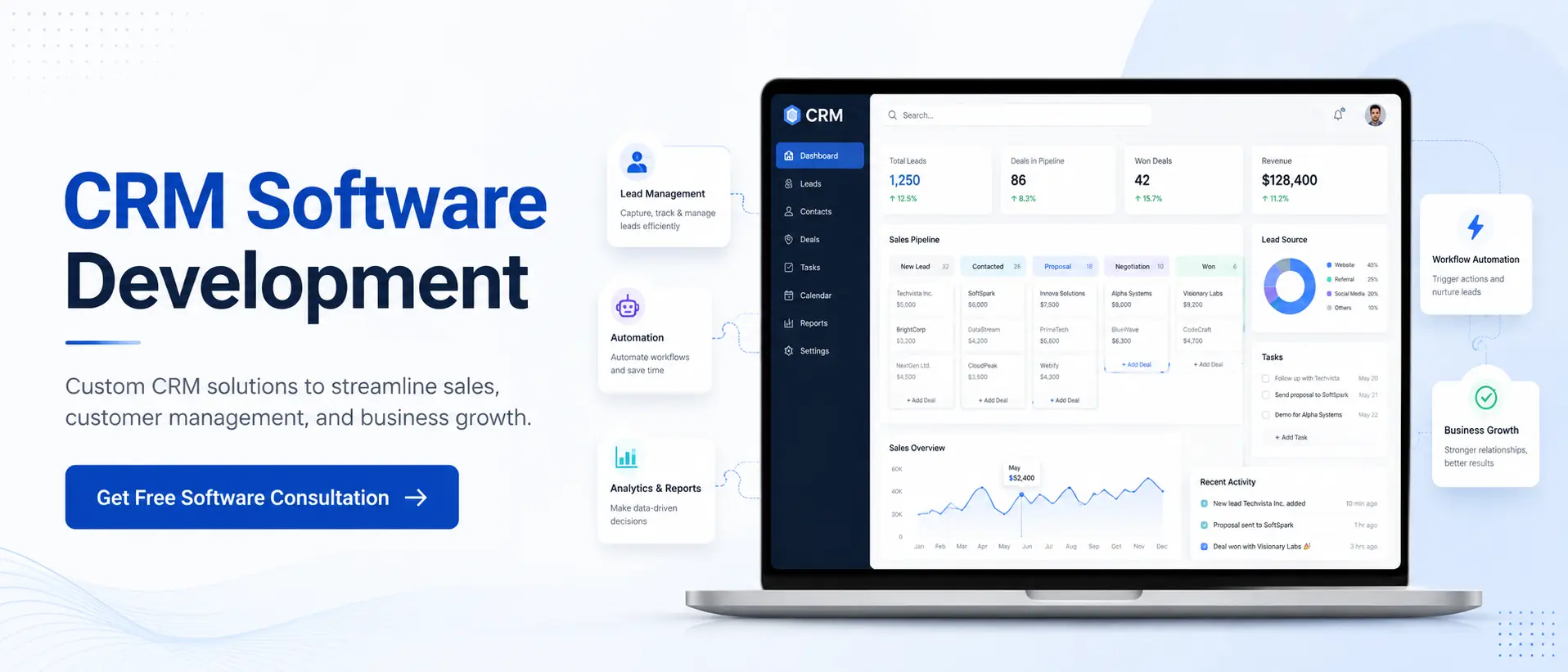
Our custom CRM software development services help businesses build solutions around their actual workflow. The system can include lead management, sales pipelines, automated follow-ups, role-based access, dashboards, WhatsApp integration, website lead capture, reporting, and integration with existing business software.
Whether you need to improve an existing process, migrate data from Excel, or develop a complete custom CRM, the first step is understanding how your team currently works.
Get a Free CRM Consultation
Frequently Asked Questions
Q1. Can Excel be used as CRM software?
Excel can be used for basic customer tracking when the number of leads is limited and one person manages the process. It can store names, contact details, follow-up dates, sales values, and status information. However, it does not provide built-in workflow automation, customer timelines, lead assignment, activity tracking, or structured user permissions.
Q2. When should a small business switch from Excel to CRM?
A small business should consider CRM software when several employees manage leads, follow-ups are being missed, customer communication is spread across different channels, and sales reports require regular manual work. The need to connect customer data with websites, WhatsApp, accounting, or other software is another strong sign.
Q3. Is CRM software more expensive than Excel?
CRM software has a visible cost, such as subscriptions, implementation, configuration, training, or custom software development. Excel may appear cheaper, but businesses should also consider the cost of manual data entry, report preparation, errors, duplicate records, delayed responses, and missed sales opportunities.
Q4. Can existing Excel data be imported into CRM?
Yes. Most CRM systems support data import through Excel or CSV files. Before importing, the data should be cleaned, duplicates should be removed, and spreadsheet columns should be mapped with the correct CRM fields. A small test import is recommended before moving the complete database.
Q5. Is CRM software more secure than Excel?
CRM software generally provides more structured security features, including role-based access, activity tracking, user permissions, backups, and centralised account control. Excel security depends heavily on where the file is stored, how it is shared, who has access, and whether proper backups are maintained.
Q6. Can Excel and CRM software be used together?
Yes. CRM should normally serve as the main customer database, while Excel can still be used for one-time calculations, temporary analysis, data exports, and specialised reports. Maintaining both as separate customer databases can create duplicate information and version confusion.
Q7. Should a business choose ready-made or custom CRM software?
Ready-made CRM is suitable when the business follows a standard sales process and needs common features quickly. Custom CRM is more suitable when the company has unique workflows, approvals, integrations, dashboards, or industry-specific requirements that standard products cannot support efficiently.
Q8. How long does Excel-to-CRM migration take?
The timeline depends on the amount and quality of data, number of users, required customisations, integrations, reports, and training. A simple migration may be completed quickly, while a complex custom CRM implementation may require detailed planning, development, testing, and phased deployment.


