
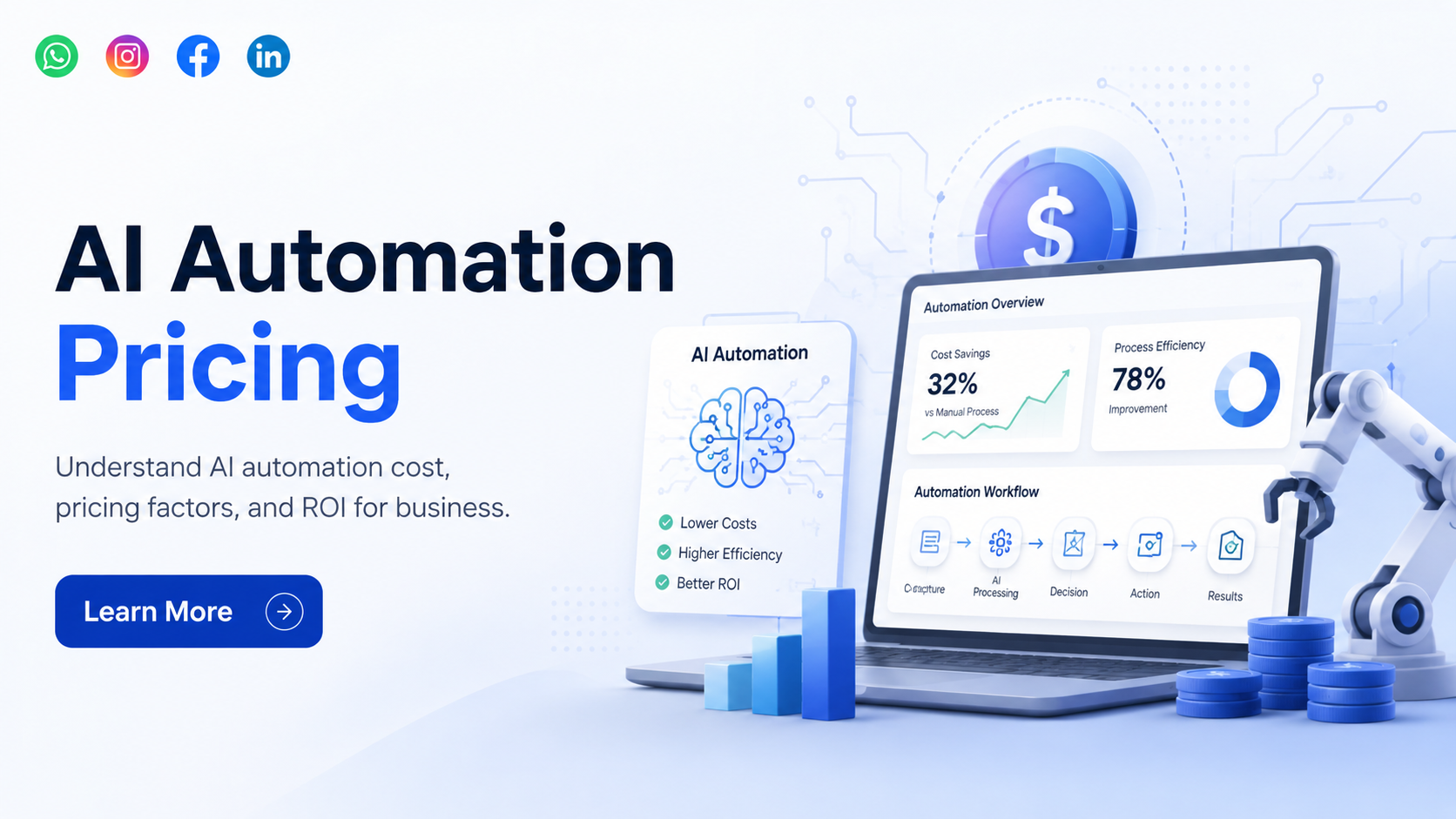
AI automation is becoming one of the most important investments for modern businesses. Many companies want to automate repetitive work, improve customer response time, reduce manual errors, and make their teams more productive. But before starting, one common question comes first: how much does AI automation cost for business?
The honest answer is simple. AI automation pricing is not the same for every company. The cost depends on what you want to automate, how complex your workflow is, how many systems need to be connected, how much data is involved, and whether you need a ready-made tool or a custom AI automation solution.
For a small business, AI automation may start with a simple chatbot, lead follow-up system, or reporting automation. For a growing company, it may include CRM automation, customer support automation, sales tracking, HR automation, or document processing. For an enterprise, AI automation may involve multiple departments, advanced integrations, custom dashboards, security controls, and long-term support.
This guide will help you understand AI automation pricing in a clear and practical way, so you can plan your budget before starting.
What Is AI Automation for Business?
AI automation means using artificial intelligence to complete business tasks with less manual effort. It helps your team save time by automating repetitive work, improving decision-making, and handling tasks that usually take many hours.
For example, AI automation can help a business:
Respond to customer questions faster, qualify leads, send follow-up reminders, update CRM records, process invoices, generate reports, manage support tickets, organize documents, or suggest the next sales action.
The goal is not to replace your team. The goal is to help your team work faster, smarter, and with fewer mistakes.
A business can use AI automation in many areas, including sales, marketing, customer support, HR, finance, operations, ecommerce, logistics, healthcare, real estate, and manufacturing.
Why Businesses Are Investing in AI Automation
Businesses are investing in AI automation because manual work slows down growth. When teams spend too much time on repetitive tasks, they have less time for sales, customer relationships, strategy, and business improvement.
AI automation can help businesses in many ways.
It can reduce manual data entry, improve customer response speed, manage repetitive follow-ups, reduce missed leads, organize internal workflows, and give better visibility through reports and dashboards.
For example, a sales team may receive many leads every day. Without automation, some leads may be missed or followed up late. With AI automation, leads can be captured, categorized, assigned, followed up, and tracked automatically.
In customer support, AI automation can answer common questions, route tickets to the right team, and reduce the workload on support staff.
In operations, AI automation can help with approvals, task reminders, document handling, and internal reporting.
This is why many businesses now see AI automation not only as a technology cost, but as a long-term productivity investment.

How Much Does AI Automation Cost?
AI automation cost depends on the size and complexity of the project. There is no single fixed price that applies to every business.
A simple AI automation setup will usually cost less because it may involve fewer features and limited integration. A custom AI automation system will cost more because it needs planning, design, development, testing, integration, deployment, and support.
In simple words, the cost depends on the problem you want to solve.
If you only need a basic chatbot for answering common customer questions, the pricing will be different from a complete AI-powered CRM automation system connected with your website, WhatsApp, email, sales dashboard, and internal software.
A small automation project may involve one workflow. A medium-level project may involve multiple workflows and system connections. An advanced automation system may involve custom software, AI model integration, data processing, role-based access, reporting, and long-term maintenance.
So instead of asking only “What is the price?”, businesses should ask, “What exactly do we want AI automation to do for our business?”
That question gives a much better cost estimate.
Main Factors That Affect AI Automation Pricing
AI automation pricing changes based on several important factors. Understanding these factors will help you plan your budget more clearly.
1. Type of Automation Required
The type of automation has a major impact on cost.
A basic AI chatbot, sales follow-up automation, invoice processing system, HR automation, CRM automation, or full workflow automation will all have different pricing.
For example, automating simple FAQs is usually easier than building an AI system that studies customer behavior, updates CRM stages, creates reports, and sends personalized follow-ups.
The more business logic your automation needs, the more planning and development work is required.
2. Business Process Complexity
Simple workflows cost less. Complex workflows cost more.
If your process has only one or two steps, it can be automated faster. But if your process includes multiple approvals, different user roles, department-wise access, condition-based actions, notifications, and reporting, the cost will increase.
For example, a simple lead capture automation may only collect user details and send them to your sales team. But an advanced sales automation system may qualify the lead, assign it to the right sales executive, send follow-up reminders, update the CRM, generate reports, and notify managers.
That level of automation needs deeper development.
3. Custom Development Requirement
Ready-made automation tools may work for basic needs. But many businesses need custom AI automation because their workflows are different from standard tools.
Custom AI automation pricing is usually higher because the system is built around your exact business process.
A custom solution may include a custom dashboard, admin panel, user roles, API integrations, AI model integration, database setup, reporting, and security features.
The benefit is that custom automation gives more control, flexibility, and long-term scalability.
4. Third-Party Integrations
Integration is one of the biggest cost factors in AI automation.
If your automation needs to connect with CRM, ERP, website, mobile app, WhatsApp, email, payment gateway, accounting software, Google Sheets, inventory system, or customer support tool, the development effort increases.
Some integrations are simple. Some require custom API work. Some tools may also have limited integration options, which can increase development time.
Before starting, it is important to list all the systems your business currently uses. This helps the development team estimate the cost more accurately.
5. AI Model and API Usage
Many AI automation systems use AI models or APIs for tasks like text generation, customer reply suggestions, document reading, data extraction, sentiment analysis, chatbot responses, or workflow decisions.
These AI models may have usage-based pricing. That means your monthly cost can depend on how much the system is used.
For example, if your chatbot handles thousands of conversations every month, the AI usage cost may be higher than a chatbot that handles only a few hundred messages.
This is why businesses should not only calculate development cost. They should also understand ongoing AI usage cost.
6. Data Quality and Preparation
AI automation works better when business data is clean, organized, and easy to use.
If your data is scattered across Excel files, emails, CRM, paper records, old software, or multiple departments, extra work may be needed before automation can start.
Data cleanup, formatting, migration, and structuring can affect the total cost.
For example, if you want AI to generate reports from your sales data, the data needs to be accurate and properly organized. If the data has duplicate entries, missing fields, or inconsistent formats, the system may give poor results.
Good data preparation improves automation quality.
7. User Roles and Access Control
Some businesses need simple automation for one user or one team. Others need role-based access for admin, manager, employee, sales executive, support staff, or department heads.
Role-based access increases development work because every user type may need different permissions, dashboards, data visibility, and actions.
For example, a sales executive may only see assigned leads, while a manager may see team performance, reports, and pending follow-ups.
These controls are important for business security and smooth operations.
8. Security and Compliance
Security is very important when AI automation handles customer data, business documents, employee records, financial information, or healthcare data.
If your business belongs to finance, healthcare, legal, HR, real estate, or enterprise sectors, the system may need stronger security planning.
This may include secure login, encryption, audit logs, access control, data backup, compliance checks, and safe API handling.
Security features can increase cost, but they are important for protecting business data.
9. Testing and Training
AI automation should be tested properly before going live.
Testing helps check whether the automation is working correctly, whether the AI responses are accurate, whether integrations are stable, and whether users can complete tasks smoothly.
Your team may also need basic training to use the automation system correctly.
Testing and training are important parts of a successful AI automation project. Skipping them may save cost in the beginning, but it can create problems later.
10. Maintenance and Support
AI automation is not a one-time setup for every business. It may need updates, improvements, monitoring, bug fixing, usage optimization, and new features over time.
Your business process may change. Your team may need new reports. Your customer volume may increase. Your AI usage may grow.
That is why ongoing support and maintenance should be included in the budget.
Common AI Automation Pricing Models
Different companies follow different pricing models for AI automation. Understanding these models helps you compare proposals properly.
One-Time Setup Cost:-
This is usually charged for planning, design, development, integration, testing, and deployment.
It is common in custom AI automation projects where a software development company builds a solution based on your business requirements.
Monthly Subscription Cost:-
Some ready-made AI tools charge a monthly subscription. This may be suitable for small businesses that need basic automation without custom development.
However, the cost may increase when you add more users, features, storage, or usage.
Custom Project Pricing:-
Custom project pricing is used when the automation system needs to be built specifically for your business.
This pricing depends on features, complexity, integrations, technology, timeline, and support requirements.
Usage-Based Pricing:-
Usage-based pricing depends on how much the system is used. This can include AI API usage, number of messages, number of automation runs, number of users, or data processing volume.
This pricing model is important for AI chatbots, document automation, customer support automation, and high-volume workflows.
Maintenance and Support Cost:-
After launch, businesses may pay monthly or yearly support charges for updates, monitoring, bug fixes, hosting support, AI usage optimization, and feature improvements.
This cost should be planned from the beginning.
AI Automation Cost by Business Use Case
Different use cases require different levels of planning and development.
AI Chatbot Automation
AI chatbots are used for customer support, lead generation, FAQs, appointment booking, and website assistance.
A simple chatbot costs less. A custom chatbot connected with CRM, WhatsApp, website, and internal systems will cost more.
Sales Automation
Sales automation helps businesses manage leads, follow-ups, reminders, CRM updates, pipeline tracking, and sales reports.
The cost depends on how many sales stages, user roles, notifications, and integrations are required.
Customer Support Automation
Customer support automation can help with ticket creation, ticket routing, response suggestions, complaint tracking, and support dashboards.
If the system needs to understand customer queries and suggest accurate replies, AI model integration may be required.
Marketing Automation
Marketing automation can support email workflows, campaign planning, customer segmentation, content suggestions, and lead nurturing.
The cost depends on the number of channels and tools involved.
HR Automation
HR automation can manage employee records, attendance, leave requests, onboarding, policy documents, and employee queries.
The cost depends on whether it is a simple workflow or a complete HR management system.
Invoice and Document Automation
Document automation helps extract data from invoices, forms, PDFs, bills, contracts, or reports.
This type of automation may require AI-based document reading, data validation, and integration with accounting or ERP software.
CRM and ERP Automation
CRM and ERP automation usually costs more because it involves business-critical data and multiple departments.
It may include sales, inventory, finance, operations, customer data, reporting, and approval workflows.
Workflow Automation
Workflow automation can handle internal approvals, task assignments, reminders, notifications, and reporting.
The cost depends on how many workflows need automation and how complex each workflow is.
Ready-Made AI Tools vs Custom AI Automation
Many businesses get confused between ready-made AI tools and custom AI automation.
Ready-made tools are useful when your requirement is simple and standard. They are usually faster to start and may have a lower initial cost.
But ready-made tools may not match your exact business process. You may have limited control over customization, data, workflows, and integrations.
Custom AI automation is better when your business has specific workflows, internal systems, custom rules, or long-term scalability needs.
For example, if you only need a basic chatbot, a ready-made tool may be enough. But if you need an AI automation system connected with your CRM, ERP, WhatsApp, website, sales team, support team, and reporting dashboard, custom development may be a better choice.
The right option depends on your goal, budget, process, and future growth plan.
How to Plan Your AI Automation Budget
The best way to plan your AI automation budget is to start with clarity.
Before asking for pricing, identify what you want to automate. Choose one important process first instead of trying to automate everything at once.
Start by answering these questions:
Which task is taking too much manual time?
Which process has the most errors or delays?
Which department needs automation first?
Which tools need to be connected?
How many users will use the system?
How much data will the system handle?
Will you need ongoing support?
A clear requirement helps the development team give a better estimate.
For many businesses, the best approach is to start with an MVP, which means a minimum workable version of the automation system. Once the first version works well, you can add more features in phases.
This helps reduce initial cost and lowers project risk.

How to Calculate ROI from AI Automation
AI automation should not be judged only by cost. It should also be judged by value.
To calculate ROI, think about how much time, effort, and money the automation can save.
For example, if your team spends many hours every week on manual follow-ups, report creation, data entry, or customer replies, automation can save that time.
You can measure ROI by checking:
How many employee hours are saved?
How many leads are handled faster?
How many manual errors are reduced?
How much faster customers get responses?
How much support workload is reduced?
How much better reporting and decision-making become?
If AI automation helps your team save time, improve sales follow-up, reduce errors, and serve customers faster, it can deliver strong long-term value.
Hidden Costs Businesses Should Know
Some costs are not always visible in the beginning. Businesses should understand them before starting.
Common hidden costs include data cleanup, third-party API charges, AI model usage, hosting, software subscriptions, integration changes, staff training, support, security improvements, and future feature upgrades.
A professional AI automation development company should explain these costs clearly before starting the project.
This helps avoid confusion later.
How to Reduce AI Automation Cost Without Reducing Quality
You can reduce AI automation cost with proper planning.
Start with one high-impact process instead of automating everything at once. Avoid unnecessary features in the first phase. Use existing tools where possible. Keep workflows clear before development starts. Choose only the integrations that are truly required.
It is also important to choose the right technology approach. Not every business needs the most advanced AI model. Sometimes, a simpler automation setup can solve the problem effectively.
Good planning can save a lot of cost.
Low cost should not mean poor quality. A badly planned automation system may look cheaper in the beginning, but it can become more expensive later because of rework, errors, and poor scalability.
When Does a Business Need Custom AI Automation?
Your business may need custom AI automation when ready-made tools are not enough.
This usually happens when your workflow is unique, your teams use multiple systems, your data is spread across different platforms, or your business needs custom reports and approval processes.
You may also need custom AI automation when data security is important, when automation directly affects sales or operations, or when you want a long-term scalable system.
Custom AI automation is useful for businesses that want better control over features, data, workflows, and integrations.
How to Choose the Right AI Automation Development Company
Choosing the right software development partner is very important.
Do not select a company only because they give the lowest price. AI automation needs proper understanding of business process, technical planning, integration knowledge, testing, and support.
A good AI automation development company should first understand your workflow. They should ask about your current process, pain points, software tools, data, users, and expected outcome.
They should also explain what can be automated, what should not be automated immediately, what integrations are needed, and what budget range makes sense.
Avoid companies that give a fixed price without understanding your business requirements. That usually leads to confusion later.
The right partner will help you build an automation roadmap, not just a software feature.
What Should Businesses Expect from AI Automation Pricing?
AI automation pricing depends on the scope, complexity, integrations, data quality, AI usage, and support needs.
A simple automation setup will cost less. A custom AI automation system with multiple workflows and integrations will need a higher budget. Enterprise-level automation will need deeper planning, security, scalability, and long-term support.
The most important thing is to focus on value, not only price.
If AI automation saves time, improves customer response, reduces manual errors, supports sales, and gives better business visibility, it can become a strong investment for long-term growth.
Before starting, define your business goal clearly. Start with the most important process. Build in phases. Track results. Improve the automation over time.
Need Help Estimating AI Automation Cost for Your Business?
Every business has different workflows, tools, users, and automation goals. That is why AI automation pricing should be based on your actual business process, not on random fixed numbers.
If your business is planning AI automation, a proper consultation can help you understand what can be automated, which features are required, what integrations are needed, and what budget you should plan.
A clear roadmap can help you avoid unnecessary cost and build an AI automation system that supports your business growth.
FAQs
Q1. How much does AI automation cost for a business?
AI automation cost depends on the type of automation, workflow complexity, features, integrations, AI usage, data quality, and support needs. A simple automation setup costs less, while a custom AI automation system with multiple integrations needs a higher budget.
Q2. Is AI automation expensive for small businesses?
AI automation does not always have to be expensive. Small businesses can start with one simple automation, such as lead follow-up, chatbot support, reporting, or document automation. Later, they can add more features as the business grows.
Q3. What affects AI automation pricing the most?
The biggest pricing factors are workflow complexity, custom development, third-party integrations, AI model usage, data preparation, user roles, security, testing, and ongoing maintenance.
Q4. Is custom AI automation better than ready-made tools?
Ready-made tools are useful for basic tasks. Custom AI automation is better when your business needs specific workflows, internal system integration, custom dashboards, better control, and long-term scalability.
Q5. What is the monthly cost of AI automation?
Monthly cost may include AI API usage, software subscriptions, hosting, maintenance, support, monitoring, and updates. The cost depends on how much the system is used and what tools are connected.
Q6. Can AI automation reduce business costs?
Yes, AI automation can reduce costs by saving employee time, reducing manual errors, improving follow-up speed, handling repetitive tasks, and improving team productivity.
Q7. How long does it take to implement AI automation?
The timeline depends on project complexity. A simple automation can be implemented faster, while custom AI automation with multiple workflows, integrations, and testing will take more time.
Q8. How do I know if my business needs AI automation?
If your team spends too much time on repetitive work, manual data entry, customer replies, follow-ups, reports, approvals, or document handling, AI automation can help improve efficiency.


