
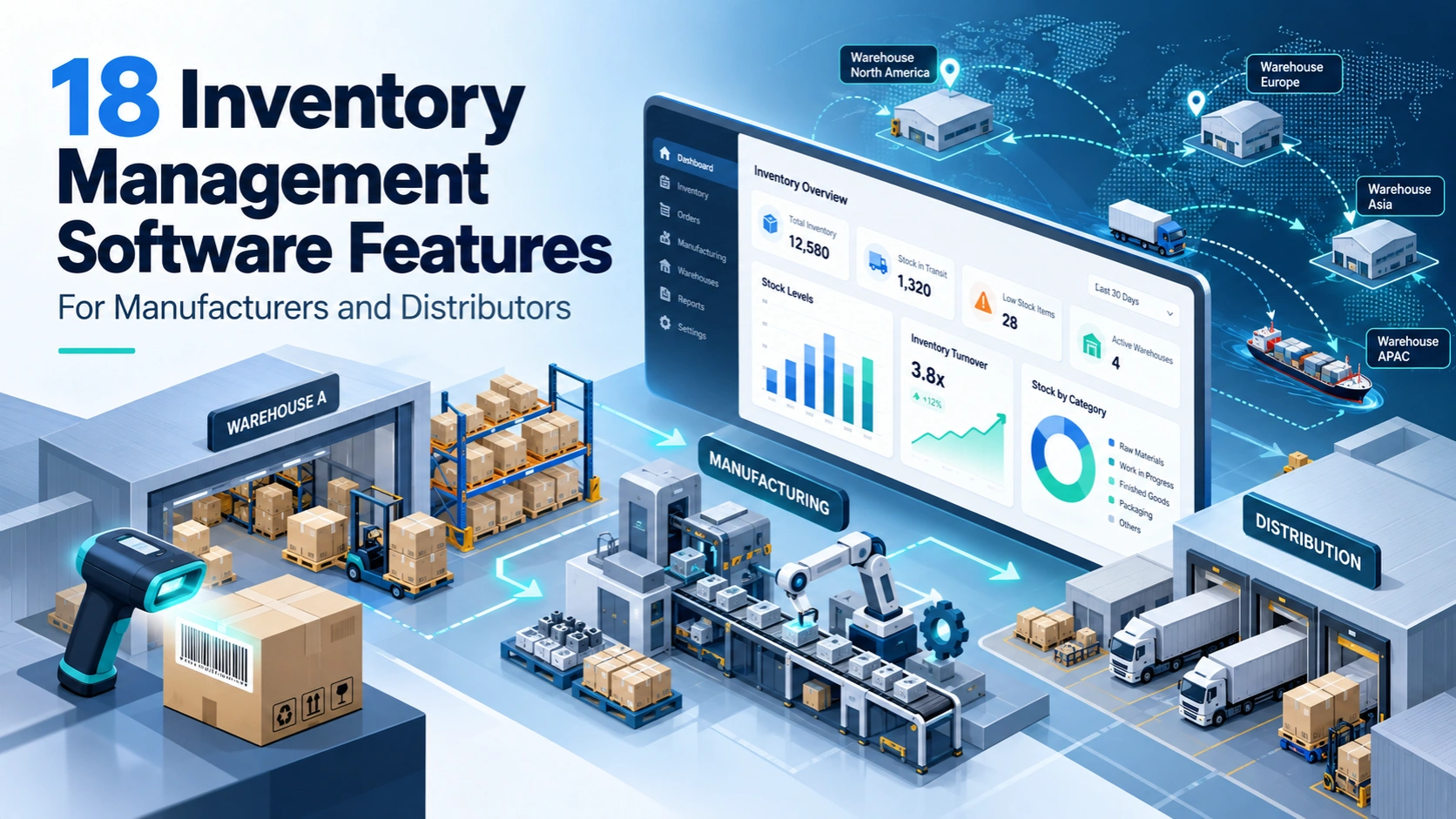
Managing inventory becomes complicated when products move between suppliers, warehouses, production floors, and customers. A stock report may show 800 units available, but what if 250 are already reserved for orders, 100 are waiting for quality inspection, and another 50 are being transferred between warehouses?
The real challenge is not simply knowing how much stock exists. It is knowing what inventory is available, where it is located, how it will be used, and when more stock is needed.
This is where the right inventory management software features make a difference.
For manufacturers, the system must connect raw materials, production orders, work-in-progress, and finished goods. Distributors need reliable stock allocation, purchasing, warehouse transfers, and order fulfillment.
This guide covers 18 essential inventory management software features, explains how they work in actual business operations, and highlights what to check before choosing or developing a system.
How Do Inventory Software Requirements Differ for Manufacturers and Distributors?
Manufacturers and distributors both manage stock, but their daily workflows are different.
A manufacturer purchases raw materials, converts them into finished products, and tracks inventory throughout production. A distributor generally purchases finished products and manages their storage, availability, and delivery to customers.
| Manufacturing Businesses | Distribution Businesses |
| Raw material inventory tracking | Finished goods stock tracking |
| Bill of Materials (BOM) | Purchase and sales order management |
| Production planning and MRP | Supplier replenishment |
| Work-in-progress inventory | Warehouse and bin management |
| Production material consumption | Stock allocation and dispatch |
| Finished goods and production costing | Customer returns and stock transfers |
For example, a furniture manufacturer needs to know whether enough wood, fittings, and packaging materials are available to produce 200 tables.
A furniture distributor needs to know how many tables are available across warehouses and whether confirmed orders can be delivered on time.
A business that manufactures and distributes its own products may need both sets of capabilities.
Understanding this difference helps you identify which inventory management system features are essential for your operations.
Core Inventory Tracking and Warehouse Management Features
1. Real-Time Inventory Tracking and Stock Visibility
Real-time inventory tracking gives businesses an updated view of stock quantities, locations, and movement.
However, simply showing the total number of items is not enough.
Good inventory management software should distinguish between:
- Stock on hand: Inventory physically present in the warehouse.
- Reserved stock: Items already committed to confirmed orders.
- Available stock: Eligible stock that can be allocated to new orders.
- Stock in transit: Inventory moving between locations.
- Blocked stock: Items unavailable due to inspection, damage, or other restrictions.
Consider a distributor with 800 units in its warehouse. Of these, 250 are reserved for customer orders and 100 are under quality inspection. Assuming there are no overlapping quantities, only 450 units are immediately available for new orders.
Without these separate inventory statuses, the sales team might accept orders that cannot be fulfilled.
What to check: Does the software update inventory automatically when goods are received, reserved, transferred, consumed, or dispatched? Can users trace every quantity change back to a transaction?
The goal is to understand actual stock availability, not just physical stock quantity.
2. SKU Management and Unit-of-Measure Conversion
Manufacturers and distributors often purchase, store, manufacture, and sell the same materials in different units.
For example, a distributor purchases screws in cartons of 1,000 pieces but sells them in packets of 100.
The inventory system should automatically convert these quantities while maintaining accurate stock records.
Important capabilities include unique SKU creation, product variants, unit conversions, packaging configurations, and supplier-specific purchase units.
Manufacturing businesses may also purchase materials in kilograms and consume them in grams or purchase liquid materials in drums and use them in litres.
What to check: Can the system maintain a standard base unit while supporting different purchasing, storage, and sales units?
It should also handle conversion precision and rounding rules. Incorrect conversions can create stock differences even when employees enter transactions correctly.
3. Multi-Warehouse Inventory and Bin-Level Management
Businesses operating multiple warehouses need to know exactly where inventory is stored.
Multi-warehouse inventory management should track stock by warehouse, rack, bin, and storage location.
Suppose a distributor transfers 200 components from its Mumbai warehouse to its Pune warehouse.
The system should record the transfer request, dispatch quantity, goods in transit, and final receipt confirmation. Until Pune confirms receipt, those components should not be counted twice.
Bin-level tracking adds another layer of control. Instead of simply showing 500 units in Warehouse A, the software identifies the racks and bins holding those units.
This helps warehouse teams locate products during receiving, picking, and dispatch.
What to check: Does the software support partially received transfers, stock in transit, location-wise availability, and warehouse-specific permissions?
For growing distributors, these capabilities are more useful than a dashboard that only displays total inventory across all locations.
4. Barcode, QR Code, and RFID Inventory Tracking
Manual product identification becomes difficult when a warehouse handles thousands of SKUs.
Barcode and QR code scanning can help staff record inventory movements by scanning product labels.
RFID can support certain operations where scanning multiple tagged items without direct line-of-sight is useful, although it requires suitable hardware and infrastructure.
The real value comes from connecting scanning with business workflows.
For example, a warehouse employee preparing an order scans a product with the wrong SKU or batch number. The system should identify the mismatch before the item is dispatched.
Scanning can support goods receiving, putaway, picking, packing, stock transfers, and cycle counting.
What to check: Does the software validate the scanned SKU, quantity, location, and batch against the relevant transaction?
Businesses should also evaluate handheld device compatibility and how the application handles temporary network interruptions.
Not every warehouse needs RFID. Barcode-based tracking is often sufficient when scanning is correctly connected to the inventory system.
5. Purchase Order and Goods Receipt Management
A purchase order records what a business expects to receive from a supplier. A goods receipt records what actually arrived.
These quantities do not always match.
Imagine a distributor places an order for 500 electrical components. The supplier delivers 470, and 10 fail quality inspection.
The system should show:
- 500 units ordered.
- 470 units physically received.
- 460 units accepted.
- 10 units rejected or held.
- 30 units still outstanding from the original delivery.
The rejected items may also require a separate supplier replacement or return process.
Inventory management software should support partial receipts, purchase order matching, supplier delivery records, inspection status, and discrepancies.
What to check: Can employees receive goods in multiple deliveries without closing the original purchase order incorrectly?
A reliable receiving workflow keeps purchasing, warehouse inventory, and supplier records connected.
Manufacturing Inventory and Production Control Features
6. Bill of Materials (BOM) and Raw Material Tracking
A Bill of Materials lists the components and quantities required to manufacture a finished product.
Consider a pump manufacturer. Each pump requires one metal casting, two seals, and four bolts.
For an order of 100 pumps, the system should calculate the required quantities:
- 100 metal castings.
- 200 seals.
- 400 bolts.
If the manufacturer has only 150 seals available, the software should identify the shortage before production begins.
Advanced BOM management can also handle product variants, component substitutions, material wastage, and different BOM revisions.
This matters when a product design changes but older production orders must continue using the previous specification.
What to check: Can the software calculate raw material requirements from production quantities and retain the correct BOM version for each manufacturing order?
For manufacturers, BOM management is one of the most important differences between basic stock software and a production-focused inventory system.
7. Material Requirements Planning (MRP)
Material Requirements Planning connects customer demand, production schedules, available stock, and supplier delivery timelines.
Suppose a manufacturer receives an order for 500 finished products but has enough materials to manufacture only 320.
An MRP system should identify the missing materials, calculate the additional quantities required, and indicate when those materials must arrive to meet the production deadline.
A useful MRP process considers existing stock, reserved inventory, open purchase orders, supplier lead times, and production requirements.
For example, if a component takes 12 days to arrive but production must begin in 8 days, purchasing that component today may already be too late.
The system should highlight this problem instead of simply suggesting a purchase quantity.
What to check: Does the software calculate shortages against actual production dates and expected incoming materials?
MRP becomes particularly valuable when manufacturers handle multiple products that share common components.
8. Work-in-Progress (WIP) and Production Order Tracking
Manufacturing inventory moves through several stages before becoming a finished product.
Work-in-progress tracking helps businesses monitor materials issued to production, partially completed items, scrap, rework, and completed output.
For example, a factory starts a production order for 1,000 units.
After one shift, 600 units are completed, 350 remain in production, and 50 are rejected.
The software should record these outcomes and update raw material, WIP, scrap, and finished goods balances according to the actual material consumption and production transactions.
Without proper WIP tracking, a company may struggle to identify whether materials are still in storage, already consumed, or waiting for production completion.
What to check: Can the system record partial production completion and connect material consumption to individual work orders?
This is especially important for businesses with multiple production stages or long manufacturing cycles.
9. Quality Inspection and Quarantine Inventory Management
Products that are physically present should not automatically become available for production or sale.
Some goods must pass quality inspection first.
Suppose a factory receives 300 components and finds that 25 do not meet the required specifications.
The software should separate accepted inventory from the 25 rejected or inspection-pending units.
A proper quality control workflow can support inspection records, rejection reasons, quarantine locations, release approvals, and supplier returns.
It should also prevent restricted inventory from being accidentally selected for production or customer delivery.
What to check: Can the system block stock from being allocated until an authorized employee approves its release?
This feature is particularly useful for businesses where defective materials can affect production quality, safety, or customer commitments.
Inventory Traceability and Expiry Management Features
10. Batch, Lot, and Serial Number Tracking
Batch and serial number tracking help businesses identify where products came from and where they were used or delivered.
A batch number identifies a group of products. A serial number identifies an individual product.
Suppose a manufacturer discovers a quality issue in component batch B-204.
With proper traceability, the company can identify which production orders consumed the affected components, which finished products were produced, and which customers received those products.
For distributors, traceability can connect supplier receipts, warehouse movements, and customer deliveries.
What to check: Can the system trace a batch backward to its supplier and forward to the customer? Does it retain these records after inventory is sold or consumed?
This capability is valuable for electronics, food, chemicals, pharmaceuticals, automotive components, and other products where traceability matters.
The GS1 Global Traceability Standard also distinguishes product-level, batch-level, and individual serial-level identification.
11. Expiry Date Tracking and FIFO/FEFO Inventory Rotation
Businesses managing products with limited shelf life need more than basic stock tracking.
Inventory software should record manufacturing dates, expiry dates, usable shelf life, and stock rotation rules.
Two common methods are:
FIFO (First In, First Out): Prioritizes inventory received earlier.
FEFO (First Expired, First Out): Prioritizes inventory approaching its expiry or removal date.
Imagine a distributor has two batches of the same product. One expires in March and the other in December.
FEFO should normally prioritize the March batch, provided it is eligible for dispatch and meets the customer’s remaining shelf-life requirements.
The system should also identify expired or blocked batches and prevent inappropriate allocation.
What to check: Can the software recommend eligible batches automatically during picking and alert employees before products approach expiry?
For food, pharmaceuticals, and other shelf-life-sensitive products, FEFO can be more relevant than simply dispatching the oldest received stock.
Inventory Replenishment and Distribution Management Features
12. Automated Reorder Points and Low-Stock Alerts
Running out of stock can interrupt production or delay customer deliveries. Holding too much stock can tie up working capital.
Automated reorder rules help businesses decide when replenishment should begin.
For example, a distributor sells an average of 40 units per day. Its supplier takes seven days to deliver, and the business maintains 80 units of safety stock.
Using a simple constant-demand model:
Reorder point = (40 × 7) + 80 = 360 units
This means replenishment should be considered when the inventory position reaches the defined threshold. Inventory position generally accounts for stock on hand, incoming stock, and outstanding demand.
Real operations may require adjustments for variable demand, unreliable lead times, minimum order quantities, and supplier constraints.
What to check: Can the software maintain different reorder rules by SKU, supplier, and warehouse? Does it consider incoming purchase orders before generating new suggestions?
A good replenishment system should support purchasing decisions, not generate unnecessary duplicate orders.
13. Inventory Demand Forecasting and Stock Planning
Demand forecasting uses historical sales, production requirements, seasonal trends, and other business inputs to estimate future inventory needs.
Consider a distributor whose demand for electrical products increases during major construction project periods.
If the software relies only on current stock levels, purchasing decisions may come too late.
Forecasting can help businesses identify expected demand, slow-moving products, seasonal changes, and potential stock shortages.
However, historical sales alone cannot always predict future demand accurately.
A large one-time customer order, a temporary promotion, or a supplier disruption can distort the numbers.
What to check: Can users adjust forecasts, exclude unusual transactions, and compare predicted demand against actual sales?
Businesses should also evaluate forecast accuracy by product category rather than depending on one overall percentage.
The objective is not perfect prediction. It is better purchasing and production planning based on usable information.
14. Sales Order Allocation and Inventory Reservation
Available inventory must be allocated carefully when multiple customers place orders for the same products.
Suppose a distributor has 500 units available.
Customer A places an order for 300 units. Customer B then requests 250 units.
If the first order is confirmed and reserves 300 units, only 200 remain available for immediate allocation.
The system should prevent both orders from claiming the same stock.
Advanced allocation may use delivery deadlines, customer priorities, warehouses, and promised receipt dates.
It should also manage partial fulfillment and backorders.
What to check: Does the software reserve stock when an order is confirmed? What happens when an order is cancelled, partially dispatched, or modified?
Inventory reservation becomes particularly important for businesses selling through multiple sales teams, branches, marketplaces, or online channels.
15. Picking, Packing, Dispatch, and Returns Management
Accurate inventory records are only useful when warehouse employees can execute orders correctly.
Picking and packing features connect confirmed sales orders with physical warehouse operations.
For example, an order contains 20 units of Product A and 15 units of Product B.
The software should tell the warehouse team where the items are stored, which quantities to pick, and whether the selected products match the order.
For larger warehouses, batch picking or wave picking can help organize multiple orders.
Dispatch confirmation should record the actual shipped quantities rather than automatically assuming the entire order was delivered.
Returns require similar control.
If a customer returns 10 units, those products should be inspected before being added back to saleable inventory.
What to check: Can the system handle partial shipments, picking errors, dispatch confirmation, returned goods, and stock disposition?
This feature connects inventory accuracy directly with customer order fulfillment.
Inventory Accuracy, Costing, and Reporting Features
16. Cycle Counting and Inventory Reconciliation
A system may show 500 units of a product while the warehouse physically contains only 485.
This difference can result from scanning mistakes, unrecorded damage, incorrect receiving quantities, or other transaction errors.
Cycle counting helps businesses verify selected inventory regularly instead of relying only on a full warehouse stocktake.
For example, high-value components may be counted more frequently than inexpensive, slow-moving products.
Inventory software should support planned counting, count sheets or mobile scanning, discrepancy reports, recounts, and approved stock adjustments.
What to check: Does the system record who counted the stock, what difference was found, why an adjustment was made, and who approved it?
Businesses should also prevent inventory movements during counting where required or account for transactions occurring during the count.
Regular reconciliation helps maintain trustworthy stock records.
17. Inventory Valuation and Landed Cost Management
Knowing inventory quantity is different from knowing inventory value.
For example, a distributor purchases 100 units at ₹500 each and later buys another 100 units at ₹550 each.
When items are sold or consumed, the accounting value depends on the inventory costing method used.
Common approaches include FIFO and weighted average costing.
The software may also need to allocate landed costs such as freight, insurance, customs duties, and other eligible purchase-related expenses.
Suppose products cost ₹1,00,000 and eligible freight charges add ₹8,000. The relevant cost allocation should reflect ₹1,08,000 rather than the supplier invoice value alone.
What to check: Does the system support the company’s accounting valuation method, landed cost allocation, and reconciliation with finance records?
Warehouse picking rules and accounting valuation methods should also be treated separately. They do not necessarily work in the same way.
18. Inventory Analytics and Performance Reporting
Inventory reports should help managers make decisions, not simply display charts.
Useful inventory management reports include:
- Stock availability by SKU and warehouse.
- Slow-moving and non-moving inventory.
- Inventory aging and expiry risk.
- Stockout frequency.
- Inventory turnover.
- Supplier delivery performance.
- Stock adjustment history.
- Demand forecast accuracy.
For example, a distributor might discover that 20 products account for most of its sales while hundreds of other SKUs have remained unsold for months.
That information can support purchasing decisions and reduce unnecessary stock accumulation.
Manufacturers may also need reports showing raw material consumption, production shortages, scrap, and work-order variances.
What to check: Can managers drill down from a report to the actual purchase, warehouse, sales, or production transactions behind the numbers?
Reports become much more useful when users can understand why a problem occurred.
Which Inventory Management Software Features Does Your Business Actually Need?
Not every manufacturer or distributor needs all 18 features immediately.
A small distributor operating from one warehouse may begin with stock tracking, purchasing, sales orders, and barcode scanning.
A manufacturer handling complex production orders may require BOM, MRP, WIP, and material traceability from the beginning.
The right feature priorities depend on the business model.
| Business Requirement | Features to Prioritize |
| Small wholesale distributor | SKU tracking, purchasing, stock availability, sales orders |
| Multi-warehouse distributor | Warehouse transfers, bin tracking, stock allocation, barcode scanning |
| Manufacturing company | BOM, MRP, WIP, quality inspection, raw material tracking |
| Food or pharmaceutical distributor | Batch traceability, expiry tracking, FEFO, quality controls |
| High-volume distributor | Demand forecasting, picking and packing, order allocation, analytics |
| Growing manufacturer and distributor | Integrated production, warehousing, purchasing, costing, and reporting |
Businesses should prioritize the workflows that cause the greatest operational problems.
For example, if production regularly stops because materials are unavailable, improving MRP and raw material planning may be more important than adding advanced dashboards.
If customers frequently receive incorrect products, barcode validation and picking controls deserve greater attention.
How to Evaluate Inventory Management Software Before Choosing It
A software demonstration should show how the system handles your actual business processes.
Instead of asking whether a product supports multi-warehouse management, ask the provider to demonstrate a transfer where the receiving warehouse confirms fewer units than the sending warehouse dispatched.
Similarly, don’t just ask whether the system supports batch tracking. Ask whether it can identify every customer who received products from a particular defective batch.
Here are five practical tests worth performing:
Test 1: Stock availability
Create stock with reserved and quality-held quantities. Check whether the software calculates available stock correctly.
Test 2: Partial receiving
Receive fewer units than ordered, reject some items, and verify that the purchase order and available inventory remain accurate.
Test 3: Production shortage
Create a manufacturing order with insufficient raw materials. Check whether the software identifies shortages and expected replenishment dates.
Test 4: Warehouse transfer
Move inventory between two locations and verify how the system handles stock in transit and partial receipts.
Test 5: Customer returns
Return a previously dispatched product and check whether the item enters inspection rather than becoming immediately available for sale.
These scenarios help reveal software limitations that may not be visible during a standard product demonstration.
When Should a Business Consider Custom Inventory Management Software?
Many businesses can manage inventory effectively using established inventory management or ERP platforms.
Custom inventory management software becomes worth evaluating when business requirements cannot be supported adequately through standard features, configuration, or existing integrations.
For example, a manufacturer may need inventory transactions to connect with a specialized production machine or a custom quality approval process.
A distributor might require complex customer-specific stock reservation rules or integration with an existing order management platform.
Before choosing custom development, evaluate the full implementation requirements.
The software may need to connect with accounting systems, ERP platforms, ecommerce websites, purchasing tools, barcode scanners, or production applications.
It should also provide role-based permissions, stock movement audit trails, backup and recovery processes, and reliable handling of simultaneous transactions.
These technical controls are essential. A feature-rich system can still create problems if two employees can incorrectly update the same inventory quantity at the same time.
The best approach is to document your actual workflows, identify gaps in existing systems, and decide whether configuration, integration, or custom software development is the most suitable solution.
Frequently Asked Questions
What are the most important features of inventory management software?
The most important features generally include real-time inventory tracking, SKU management, purchase order management, warehouse tracking, stock reservation, automated reorder alerts, inventory reconciliation, and reporting.
Manufacturers may also require BOM, MRP, and WIP tracking. The exact priorities depend on the products, business model, and operational complexity.
What inventory management features do manufacturers need?
Manufacturers typically need raw material tracking, Bill of Materials management, Material Requirements Planning, production order tracking, work-in-progress visibility, and finished goods inventory management.
Businesses with strict quality or traceability requirements may also need batch tracking and quarantine inventory controls.
What inventory software features are essential for distributors?
Distributors generally benefit from multi-warehouse management, stock availability tracking, purchase orders, barcode scanning, sales order allocation, dispatch management, returns processing, and replenishment planning.
These capabilities help businesses manage stock movement from suppliers to customers.
Can inventory management software track raw materials and finished goods?
Yes. Manufacturing-focused inventory software can track raw materials, materials issued to production, work-in-progress, and completed finished goods.
The system must be configured to record these different inventory stages and the transactions between them.
What is the difference between inventory management software and ERP software?
Inventory management software primarily handles stock quantities, locations, movements, purchasing, and related warehouse processes.
ERP software connects inventory with wider business functions such as accounting, procurement, manufacturing, sales, and finance.
Some inventory platforms already include several ERP-like features, so the actual difference depends on the selected product and its capabilities.
Can inventory management software integrate with existing business systems?
Yes, provided the software supports the necessary integration methods.
Inventory systems can connect with ERP software, accounting applications, ecommerce platforms, barcode scanners, order management tools, and production systems through APIs, connectors, or custom integrations.
Before implementation, verify how transactions synchronize, how errors are handled, and which system maintains the authoritative stock records.
Choosing Inventory Management Software That Fits Your Operations
The right inventory management software is not necessarily the platform with the longest feature list.
It is the system that accurately supports how materials enter your business, move between locations, get consumed in production, and reach customers.
Manufacturers should pay particular attention to BOM, MRP, WIP, and raw material traceability. Distributors should focus on warehouse visibility, stock allocation, purchasing, replenishment, and order fulfillment.
Start by identifying where stock errors, production delays, or order problems occur. Then evaluate the features needed to solve those specific issues.
If existing inventory software cannot support your operational requirements, custom inventory management software development may provide a way to connect your workflows, teams, and business systems in one solution.
The goal is not to add more software features. It is to build a reliable inventory process that your team can use every day.


