
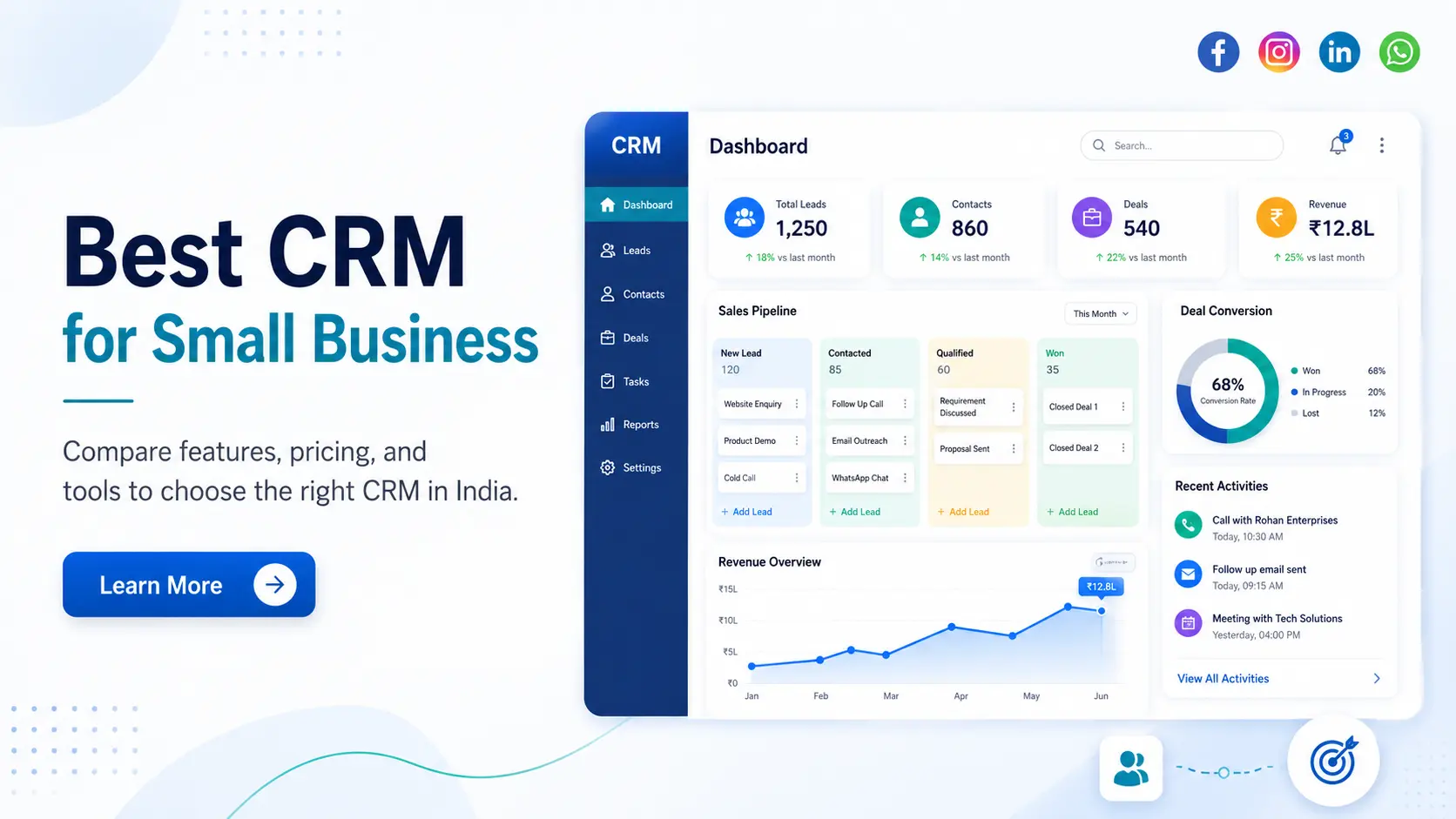
Choosing the best CRM software for a small business in India is not simply about finding the platform with the most features. The right CRM should match your sales process, team size, lead sources, budget and future growth plans.
A two-person sales team may only need simple lead tracking and follow-up reminders. A growing company may require automated lead assignment, WhatsApp integration, custom reports and multiple sales pipelines. A business handling thousands of enquiries may need stronger automation and field-sales capabilities.
This guide compares some of the best CRM software for small businesses in India based on practical business requirements—not only popularity.
Quick Answer: Which CRM Is Best for a Small Business in India?
There is no single CRM that is best for every business. Here is a quick selection based on common requirements.
| Business requirement | Suitable CRM | Why it may fit |
| Very small sales team | Bigin or Zoho CRM Free | Simple setup and essential lead tracking |
| Free CRM for basic use | HubSpot CRM or Zoho CRM Free | Useful entry-level features without an immediate subscription |
| Visual sales pipeline | Pipedrive | Easy deal and pipeline management |
| Sales communication and automation | Freshsales | Built-in sales-focused communication and automation tools |
| Flexible CRM for an Indian SME | Zoho CRM | Strong customization and a broad business application ecosystem |
| High-volume lead management | LeadSquared | Built for lead distribution, sales automation and field teams |
| Business planning rapid expansion | Salesforce Starter Suite | Scalable sales, service and marketing ecosystem |
| Unique sales process | Custom CRM software | Can be developed around exact workflows and integrations |
The best approach is to shortlist two or three platforms, test them with real leads and compare their total cost—not only their advertised starting price.
How We Evaluated These CRM Platforms
Small businesses need more than contact storage. A practical CRM should help the team capture leads, manage follow-ups, track sales opportunities and understand which activities are producing results.
The platforms in this guide are evaluated according to:
- Ease of use and implementation
- Lead and contact management
- Pipeline visibility
- Follow-up automation
- Email, calling and WhatsApp capabilities
- Reporting and dashboards
- Mobile accessibility
- Customization and integrations
- Pricing structure
- Suitability for Indian businesses
- Ability to support future growth
A platform with many advanced features is not automatically the best choice. Those features only create value when the team understands and consistently uses them.

Best CRM Software for Small Business in India
1. Zoho CRM: Best for Indian SMEs Needing Flexibility
Zoho CRM is one of the most practical options for Indian SMEs that need more than basic lead tracking. It supports lead management, workflow automation, reporting, mobile access and extensive customization.
Its main advantage is flexibility. A business can begin with a relatively simple setup and later add custom fields, approval processes, reports and integrations as its sales operations grow.
Zoho CRM also offers a free edition for up to three users. The free plan includes essential capabilities such as leads, documents and mobile applications, making it suitable for very small teams testing CRM adoption.
Best for: SMEs, service companies, distributors and growing sales teams.
Choose Zoho CRM when: You need customization, automation and access to a wider ecosystem of business applications.
Consider another option when: Your team wants a highly simplified CRM that requires almost no configuration.
2. Bigin by Zoho CRM: Best for Small Teams Moving Away from Spreadsheets
Bigin is designed for businesses that need a straightforward, pipeline-focused CRM without the complexity of a larger platform.
It is suitable for small sales teams currently managing enquiries through Excel, WhatsApp, email or individual employee records. The platform helps bring contacts, deals, tasks and follow-ups into a more structured system.
Bigin may be easier to adopt than a feature-heavy CRM, especially when the sales process has only a few clear stages.
Best for: Teams of two to five users, local service businesses and early-stage companies.
Choose Bigin when: Your main requirement is to organize enquiries, follow-ups and deals.
Consider another option when: You need complex approvals, advanced forecasting, detailed automation or multiple departmental workflows.
3. HubSpot CRM: Best Free Starting Point
HubSpot CRM is a strong option for startups and small businesses that want to begin with free sales tools and later connect marketing, service and content functions.
HubSpot’s current free Sales Hub offering is available for up to two users and includes tools for managing sales activity without requiring a credit card. However, businesses should examine the price of paid features before building their complete process around the free plan.
Its clean interface can make initial adoption easier. It is particularly useful for businesses that want website forms, email activity and customer data within one ecosystem.
Best for: Startups, founders and small teams that want a free entry point.
Choose HubSpot when: Sales and digital marketing need to work from a shared customer database.
Consider another option when: You expect to need advanced automation and paid features while maintaining a limited budget.
4. Freshsales: Best for Sales Communication and Automation
Freshsales is built around day-to-day sales activities. It supports deal management, communication, contact scoring and automation. Its mobile application also provides access to customer data, tasks, appointments and the sales pipeline.
It can be useful for sales teams that regularly communicate with prospects through calls and emails and need better visibility into every interaction.
Freshsales currently advertises plans starting from $9, although the actual cost depends on the selected plan, billing cycle and required features.
Best for: Inside-sales teams, B2B companies and businesses handling frequent enquiries.
Choose Freshsales when: Communication, sales follow-ups and automation are important parts of your process.
Consider another option when: You only need basic contact and pipeline management.
5. Pipedrive: Best for Visual Pipeline Management
Pipedrive is a sales-focused CRM built around pipeline visibility. Its visual structure makes it easier for salespeople to see which deals are new, under discussion, awaiting follow-up or close to conversion.
The platform focuses on pipeline management, lead management, sales forecasting and activity tracking. It also offers a 14-day trial, allowing teams to test their sales process before purchasing.
Pipedrive is especially useful when the sales process is clearly divided into stages and managers need a quick view of active opportunities.
Best for: B2B sales teams, agencies, consultants and professional service companies.
Choose Pipedrive when: You want a clear, easy-to-understand deal pipeline.
Consider another option when: You need deep marketing automation, customer support or complex operational workflows within the same system.
6. Salesforce Starter Suite: Best for Businesses Planning to Scale
Salesforce is widely associated with large enterprises, but its Starter Suite is designed for smaller businesses that want sales, service, marketing and commerce tools in one CRM environment.
Salesforce currently lists Starter Suite at $25 per user per month. The platform also offers a free CRM suite for a maximum of two users, while advanced editions and add-ons increase the overall cost.
The main strength of Salesforce is scalability. A business can add more sophisticated processes, applications and automation as its operations become more complex.
However, smaller teams should carefully evaluate implementation effort and long-term cost before choosing it only because of its brand name.
Best for: Growth-focused companies that expect complex future requirements.
Choose Salesforce when: You want a platform capable of supporting sales, service, marketing and wider enterprise processes.
Consider another option when: Fast implementation, simplicity and low cost are your highest priorities.
7. Monday CRM: Best for Sales and Work Management Together
Monday CRM uses a flexible, visual structure that can connect sales activities with project delivery, client onboarding and internal tasks.
This can be useful for service businesses where closing a deal is immediately followed by project execution. Instead of managing sales and service delivery in completely separate systems, teams can create connected workflows.
Its flexibility is also its main challenge. The platform may require thoughtful setup to ensure it behaves like a structured CRM rather than a collection of disconnected boards.
Best for: Agencies, consultancies, software companies and project-based businesses.
Choose Monday CRM when: Your team needs to manage both sales and work delivery visually.
Consider another option when: You need a traditional CRM with deeper sales-specific capabilities already configured.
8. LeadSquared: Best for High-Volume Lead Management
LeadSquared is better suited to businesses that receive large numbers of enquiries and need strong lead capture, assignment, automation and field-sales management.
It positions its platform around sales, service and marketing, with solutions for industries such as finance, manufacturing, education and other high-volume customer acquisition environments. Its pricing may depend on users, modules, industry and workflow requirements.
The platform can be valuable when leads need to be automatically distributed across teams, locations or sales representatives.
Best for: Education, finance, healthcare, real estate, field sales and high-enquiry businesses.
Choose LeadSquared when: Speed of response, lead distribution and sales control are critical.
Consider another option when: You manage a small number of monthly enquiries and only need a simple sales pipeline.

Which CRM Is Best for Your Specific Requirement?
Best CRM for a Team of Two to Five Users
A very small team should prioritize ease of use over advanced functionality.
Bigin, Zoho CRM Free and HubSpot CRM can be reasonable starting points. They allow a business to organize leads without immediately introducing a complex implementation project.
At this stage, the most useful features are:
- Contact and lead records
- Follow-up reminders
- Deal stages
- Notes and activity history
- Basic reports
- Mobile access
Paying for complex forecasting, artificial intelligence or advanced automation may not make sense when the team is still developing a consistent sales process.
Best CRM for a Growing Sales Team
A growing team usually needs more control than a basic CRM can provide.
Zoho CRM, Freshsales and Salesforce are more suitable when the company needs automated lead assignment, multiple pipelines, user permissions, management dashboards and stronger reporting.
The decision should be based on how much configuration the business needs and how quickly the team is expected to grow.
Best CRM for WhatsApp-Based Sales
Many Indian small businesses communicate with prospects primarily through WhatsApp. However, seeing “WhatsApp integration” on a CRM feature list does not always mean the same thing.
Before selecting a platform, check whether it supports:
- Official WhatsApp Business API integration
- Shared team conversations
- Automatic lead creation
- Approved message templates
- Conversation history within the contact record
- Automated follow-up messages
- Assignment of chats to sales representatives
- Reporting on WhatsApp enquiries
You should also confirm whether the integration requires a third-party provider and whether message, template or setup charges apply.
Best CRM for IndiaMART, Justdial and Advertising Leads
A business receiving leads from IndiaMART, Justdial, Google Ads, Meta Ads and website forms should avoid manually entering every enquiry into the CRM.
The system should automatically capture the lead source, assign the enquiry to the right salesperson and create an immediate follow-up task.
More importantly, it should show which source generates actual sales—not only the highest number of leads.
A CRM that captures 500 leads but cannot connect them to revenue gives management incomplete information.

Best CRM for Field Sales Teams
Field-sales teams need a strong mobile CRM rather than a system designed only for office use.
Important features include location-based check-ins, visit records, call logging, appointment management, territory allocation and offline access. Managers should also be able to see completed visits, pending activities and sales progress without requesting separate reports from every employee.
This is especially important for distributors, real estate companies, insurance teams, medical representatives and on-site service businesses.
CRM Software Pricing in India: What Will You Actually Pay?
CRM software is generally priced per user or seat. However, the subscription is only one part of the total cost.
LeadSquared notes that CRM costs can vary significantly according to features and functionality, and Freshworks similarly explains that pricing rises as businesses add automation, advanced reporting and other capabilities.
A realistic CRM budget should include:
| Cost area | What you should check |
| User licences | Whether every team member requires a paid account |
| Billing cycle | Whether the displayed price requires annual payment |
| Setup | Whether pipeline configuration and onboarding are included |
| Data migration | Cost of importing and cleaning existing records |
| Provider, API and message charges | |
| Calling | Telephony subscription and call usage costs |
| Automation | Whether workflows require a higher plan |
| Reports | Availability of custom dashboards in your selected plan |
| API access | Whether external integrations require an upgrade |
| Training | Whether employee onboarding is included |
| Support | Availability of phone, chat or implementation assistance |
A low starting price can become expensive when essential features are available only in higher plans.
Calculate the cost for the number of users you expect to have after 12 to 24 months—not only the number you have today.
Free CRM vs Paid CRM
A free CRM can be useful when the team is small and the main goal is to stop managing leads through scattered spreadsheets.
| A free CRM may be enough when | A paid CRM is usually better when |
| You have only a few users | The sales team is growing |
| Lead volume is limited | Leads arrive from multiple sources |
| Manual assignment is manageable | Automatic lead distribution is needed |
| Basic reports are enough | Management requires custom reports |
| Few integrations are required | WhatsApp, calling or accounting integrations are essential |
| One pipeline is sufficient | Multiple teams or pipelines are involved |
The important question is not only whether the free plan works today. Check whether the paid upgrade will remain affordable when your team, data and automation needs increase.
Features a Small Business Should Prioritize
A useful CRM should solve the business’s current sales problems without creating unnecessary complexity.
For most small businesses, the essential features are contact management, lead tracking, deal stages, follow-up reminders, activity history, mobile access and simple reports.
As the business grows, automated lead assignment, multiple pipelines, workflow automation, role-based access, sales forecasting and custom dashboards become more important.
Indian businesses may also need integrations with WhatsApp Business, telephony providers, IndiaMART, Justdial, Tally, websites and advertising platforms.
Do not select a CRM because it offers hundreds of features. Select it because it supports the activities your team performs every day.
How to Choose the Right CRM in Less Time
Start by mapping your current sales process.
Write down where leads come from, who receives them, how quickly they are contacted, how follow-ups are managed, when quotations are sent and which reports management needs.
Next, separate your requirements into two groups:
Must-have requirements are the features without which the CRM cannot support your sales process.
Good-to-have requirements are useful but do not need to be included during the first phase.
After shortlisting the platforms, test each one with real situations. Add an actual lead, assign it to a salesperson, schedule a task, move the deal through the pipeline and generate a report.
This practical test usually reveals more than a product demonstration.
Common CRM Selection Mistakes
The most common mistake is choosing software only because it has the lowest monthly price. A low-cost plan may exclude automation, integrations, reports or API access.
The opposite mistake is buying an enterprise-level platform before the team has a structured sales process. Employees may avoid using it because the system feels too complicated.
Businesses should also avoid migrating unclean data. Duplicate contacts, missing phone numbers and outdated records reduce the quality of reports from the beginning.
Most importantly, involve the sales team in the selection process. Management may choose the platform, but salespeople will use it every day.
Ready-Made CRM vs Custom CRM Software
A ready-made CRM is usually the better choice when the company has a standard sales process, needs a fast launch and can work with the platform’s available integrations.
Custom CRM software becomes relevant when standard products cannot match the business’s workflow.
| Factor | Ready-made CRM | Custom CRM |
| Launch time | Usually faster | Requires planning and development |
| Initial investment | Generally lower | Higher initial investment |
| Subscription | Often charged per user | Depends on the solution and hosting model |
| Workflow flexibility | Limited by the platform | Built around exact processes |
| Integrations | Based on available apps and APIs | Developed according to requirements |
| Ownership and control | Platform controlled by the vendor | Greater control over features and data |
| Maintenance | Managed by the CRM provider | Requires ongoing technical support |
A custom CRM may be suitable when your business needs:
- Unique lead stages and approval processes
- Different workflows for multiple departments
- Custom quotation or pricing rules
- Dealer, distributor or franchise management
- Integration with ERP, Tally or internal software
- Customer, vendor or partner portals
- Industry-specific dashboards
- Complex access permissions
- Automation unavailable in standard CRM products
However, building from scratch is not always necessary. In many cases, CRM customization, API integration, workflow configuration and custom reporting can solve the problem at a lower cost.
Final Recommendation
Choose Bigin when a very small team needs a simple way to replace spreadsheets.
Choose HubSpot CRM when you want a free starting point with access to a broader marketing and customer platform.
Choose Zoho CRM when your Indian SME needs flexibility, customization and room to grow.
Choose Freshsales when communication, lead engagement and sales automation are important.
Choose Pipedrive when visual pipeline management is your main priority.
Choose Salesforce when you expect significant growth and advanced future requirements.
Choose LeadSquared when you handle high lead volumes, multiple teams or field-sales operations.
Consider custom CRM software when standard platforms cannot support your business workflow without heavy compromises.
The best CRM software for a small business in India is not the one with the longest feature list. It is the platform your team can use consistently, that fits your sales process and that can grow without creating unnecessary cost or complexity.
Need a CRM That Matches Your Sales Process?
Standard CRM platforms work well for many businesses. But when your lead sources, approvals, reports or integrations are unique, your business may need a more tailored system.
Our CRM development services can help with custom CRM software, lead management systems, sales automation, workflow configuration, data migration, dashboards and third-party integrations.
Get a Free CRM Consultation
Frequently Asked Questions
Q1. Which is the best CRM software for small businesses in India?
Zoho CRM is a flexible option for many Indian SMEs, while Bigin is suitable for smaller teams. HubSpot provides a useful free starting point, Pipedrive focuses on visual pipelines, and Freshsales supports sales communication and automation. The best option depends on your team size, budget and required integrations.
Q2. What is the best free CRM for a small business?
Zoho CRM offers a free edition for up to three users, while HubSpot’s current free Sales Hub tools are available for up to two users. Compare their feature limits and future upgrade costs before making a long-term decision.
Q3. How much does CRM software cost in India?
CRM software may range from low-cost entry plans to advanced platforms costing several thousand rupees per user each month. The final cost depends on users, automation, reports, integrations, setup, training and communication tools.
Q4. Which CRM is best for WhatsApp lead management?
The right choice is a CRM that supports official WhatsApp Business API integration, shared team conversations, automated lead creation and complete conversation history. Confirm third-party provider and message charges before purchasing.
Q5. Is CRM software better than Excel for managing leads?
Excel can work for a very small number of leads. A CRM becomes more useful when multiple users need shared records, reminders, pipeline tracking, permissions, automation and reports.
Q6. Can CRM software integrate with IndiaMART, Justdial and Tally?
Yes, depending on the CRM and available connector. Integration may be native, provided through a third-party service or developed through an API. Confirm how data is transferred and whether additional charges apply.
Q7. Is custom CRM suitable for a small business?
Custom CRM is suitable when the business has unique workflows, complex integrations or reporting needs that standard platforms cannot support. For a simple sales process, a ready-made CRM is usually faster and more economical.
Q8. How long does CRM implementation take?
A basic CRM can be configured relatively quickly when the process and data are simple. Implementation takes longer when it includes data cleaning, custom workflows, multiple integrations, employee training or custom development.


